GhostBSD is going to abandon Xorg after 15 years. Eric Turgeon explains why GhostBSD switched from Xorg to XLibre instead of Wayland.
Full details here: https://ostechnix.com/ghostbsd-switches-to-xlibre-over-wayland/
GhostBSD is going to abandon Xorg after 15 years. Eric Turgeon explains why GhostBSD switched from Xorg to XLibre instead of Wayland.
Full details here: https://ostechnix.com/ghostbsd-switches-to-xlibre-over-wayland/
Time for a new #introduction!
I live on the border, where #Arizona, #Mexico and #NewMexico all come together.
I mostly post about #cooking, #gardening, #hiking and #publiclands
I'm interested in #music, #art, #anime, #manga, #comics, #math, #videogames, #retrogaming and #retrocomputing
I switched from #Amiga to #linux and #bsd so I actually know very little about MS Windows.
Exquisite.social is a general Glitch Mastodon server with a slight focus on technology, privacy and *BSD. We are here to play and make friends in a supportive atmosphere.
This server has a post size of up to 2500 characters.
You can find out more at https://exquisite.social/about or contact the admin account @exquisite
#FeaturedServer #Technology #Privacy #BSD #GlitchMastodon #Mastodon #Fediverse #FreeFediverse
To FreeBSD, or not to FreeBSD, that is the question:
Whether 'tis nobler in the mind to suffer
The slings and arrows of outrageous ports build times,
Or to take arms against a sea of GNU/Linux users,
And by opposing end them: to die, to shutdown,
But not to sleep on a laptop; and by a sleep,
To say we end the running of wifi, and the thousand
Natural processes that silicon is Heir to?


BSD TV posts videos from events and conferences about the BSD operating system. You can follow at:
➡️ @tpid98
(Don't worry if it looks blank to you, that just means no one from your server follows it yet. Follow the account and its videos will start gradually showing up on your server too.)
Marooned / Verschollen im Weltall
#moodoftheday #BSD #FreeBSD #Plasma #KDE
#Unix #Desktop #Screenshot
I've been running one Linux distro or another (mostly Debian) for 30 years, so how hard can it be to get a FreeBSD 15.0 ISO or memstick.img on a USB thumb drive for installation? Apparently, for me, very hard. 🤣
I'll figure this out. This is quite the humbling experience. 👍️
UPDATE: Using the dd command worked. I now have the FreeBSD ISO on the thumb drive. Should have tried this earlier.
Yet another UPDATE. ISO is on the thumb drive but still won't boot on the X1 Carbon. I have an older laptop I can try this on. The Boot Menu recognizes the thumb drive but won't boot.
One last UPDATE. Disabling secure boot resolved the issue. Thanks to everyone who chimed in with support. I really appreciate it!
#FreeBSD #BSD
It has been so long since I ran a #BSD that I don't even remember which BSD it was. (I could probably dig up that info...)
Circa 20 years ago I used to run BSD gateway/router machines.
I think I'd like to do this again, for a variety of reasons.
But which BSD should I run for this kind of network gateway. It won't host any applications, it won't be a NAS, it'll purely be network/gateway... it'll have the telco router on one side, internal network on another, and one or two DMZ/separate type networks (one for hosting external facing things like Mastodon, the other for untrusted IoT stuff.) It'll run dhcp, dns, and probably be a VPN endpoint.
I do not want to run some specialist gateway adapted customised thing with dashboards etc, just want a plain vanilla OS. (And no bullcrap like containers, docker, etc. Just an OS running on a physical box.)
So, what OS should I run on my network gateway: #OpenBSD, #FreeBSD, #NetBSD
This is the umpteenth time I've tried this, starting with version 1.6.1 😅
Could this be the definitive? I hope 💪
Now I have to config automount for external disk/USB keys and I need to find a way to encrypt my external disk and use it both in GNU\Linux and NetBSD.
CGD (I never tried it on Linux and I didn't find anything online)?
ZFS? Anyone have an idea?
I know I can use OpenSSL or GPG but I think it's better and more confortable to encrypt the full drive...
P.S. I love NetBSD but pkgin is really slow 😅 (It's probably not a problem with pkgin, but rather my Wi-Fi card.)
#bsd #netbsd #bsdunix #unix #unixITA #unixitalia #guuf #guufxmpp #guufITA #linux #linuxITA #linuxitalia
#GetFediHired: #Linux & #BSD admin, 20-40h, remote oder #Salzburg <-> #Rosenheim 📍 #Traunstein
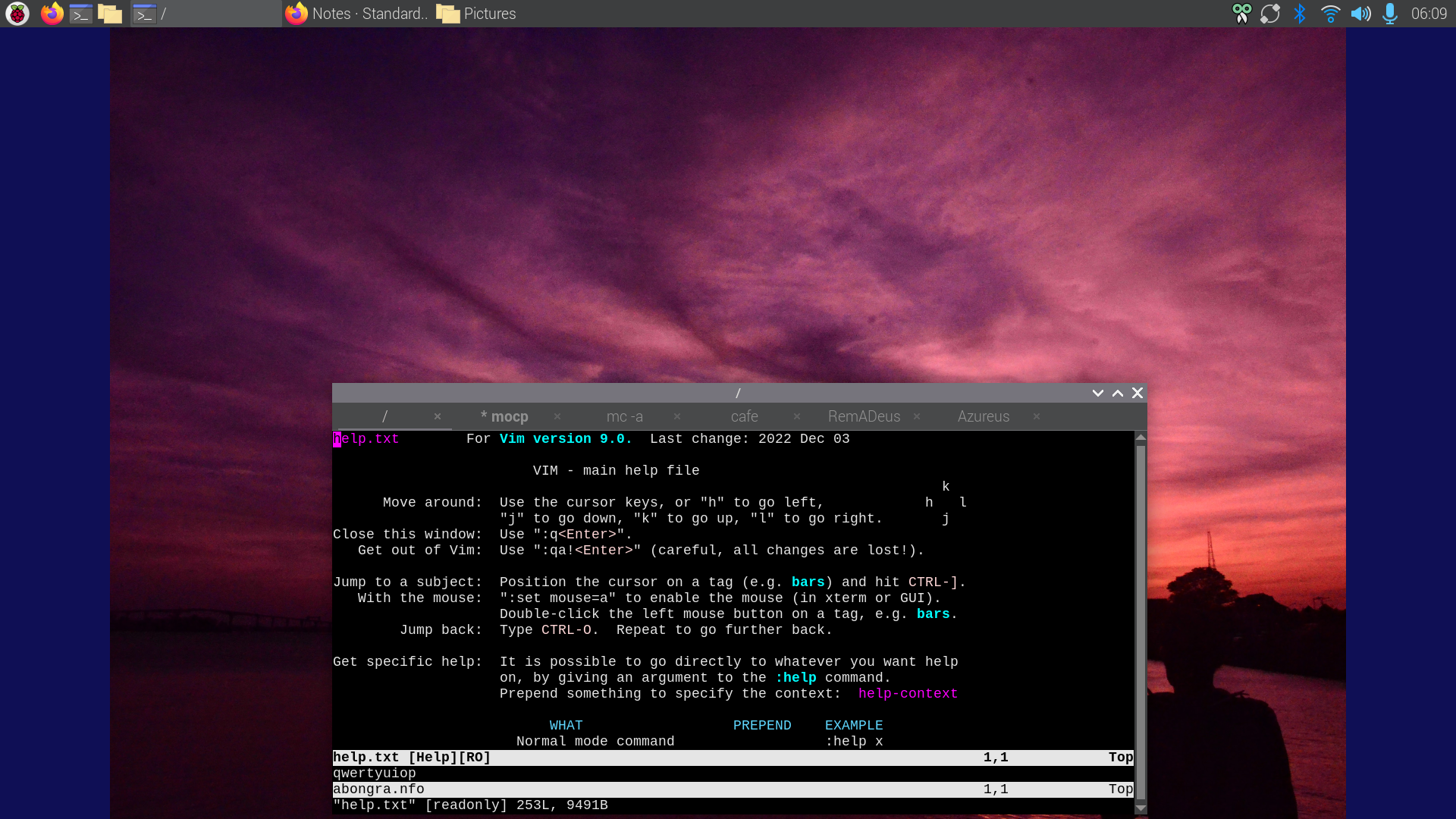
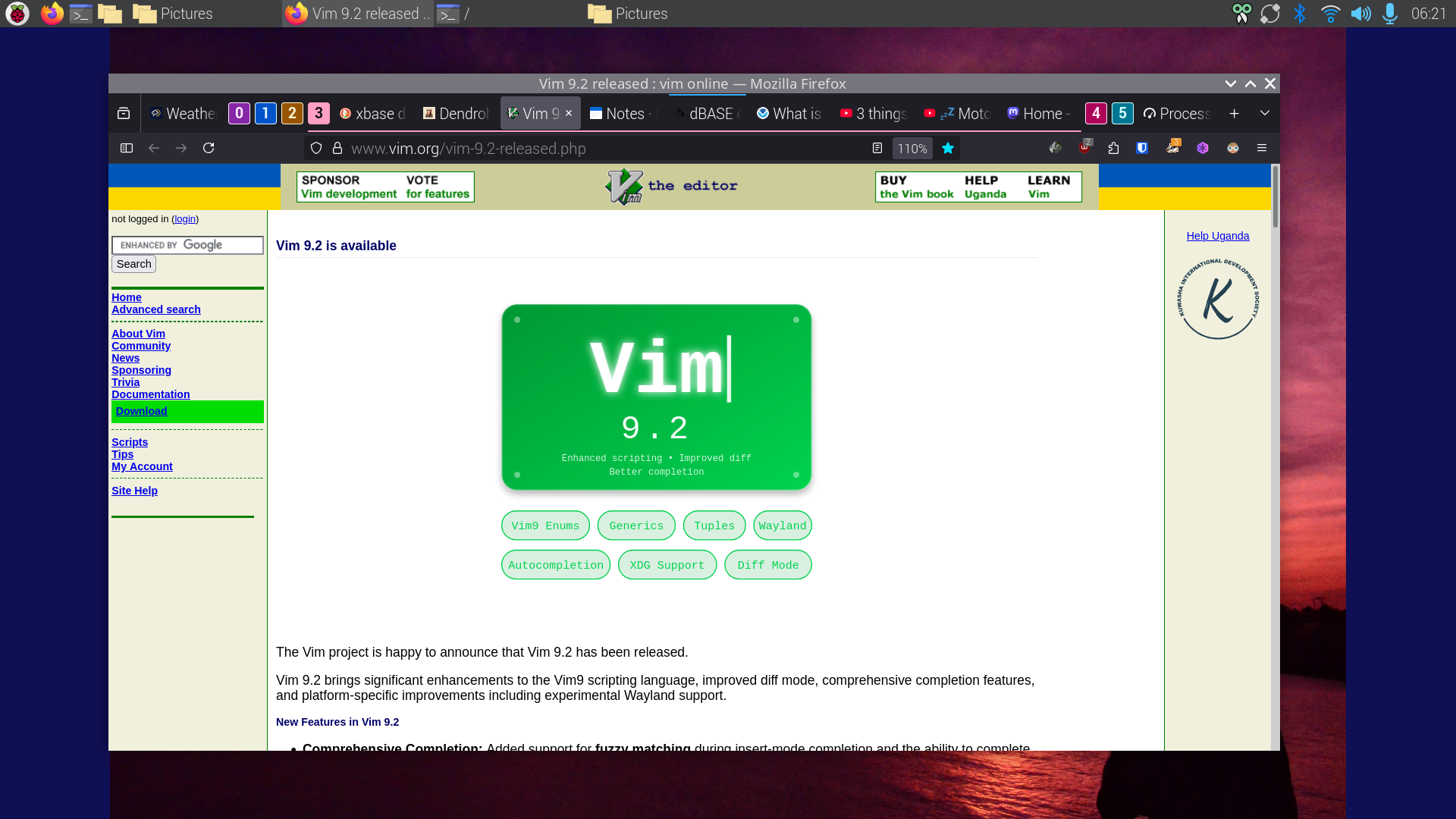
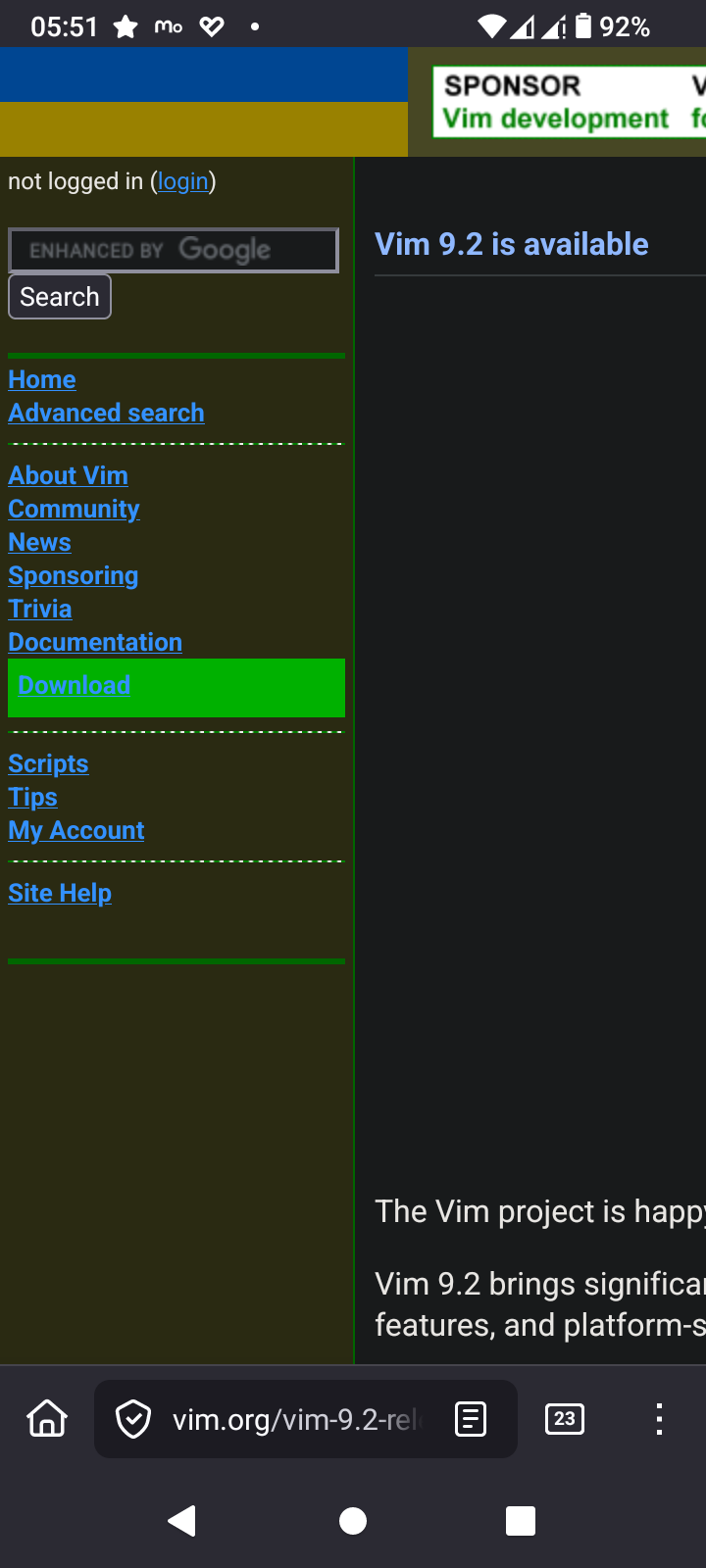
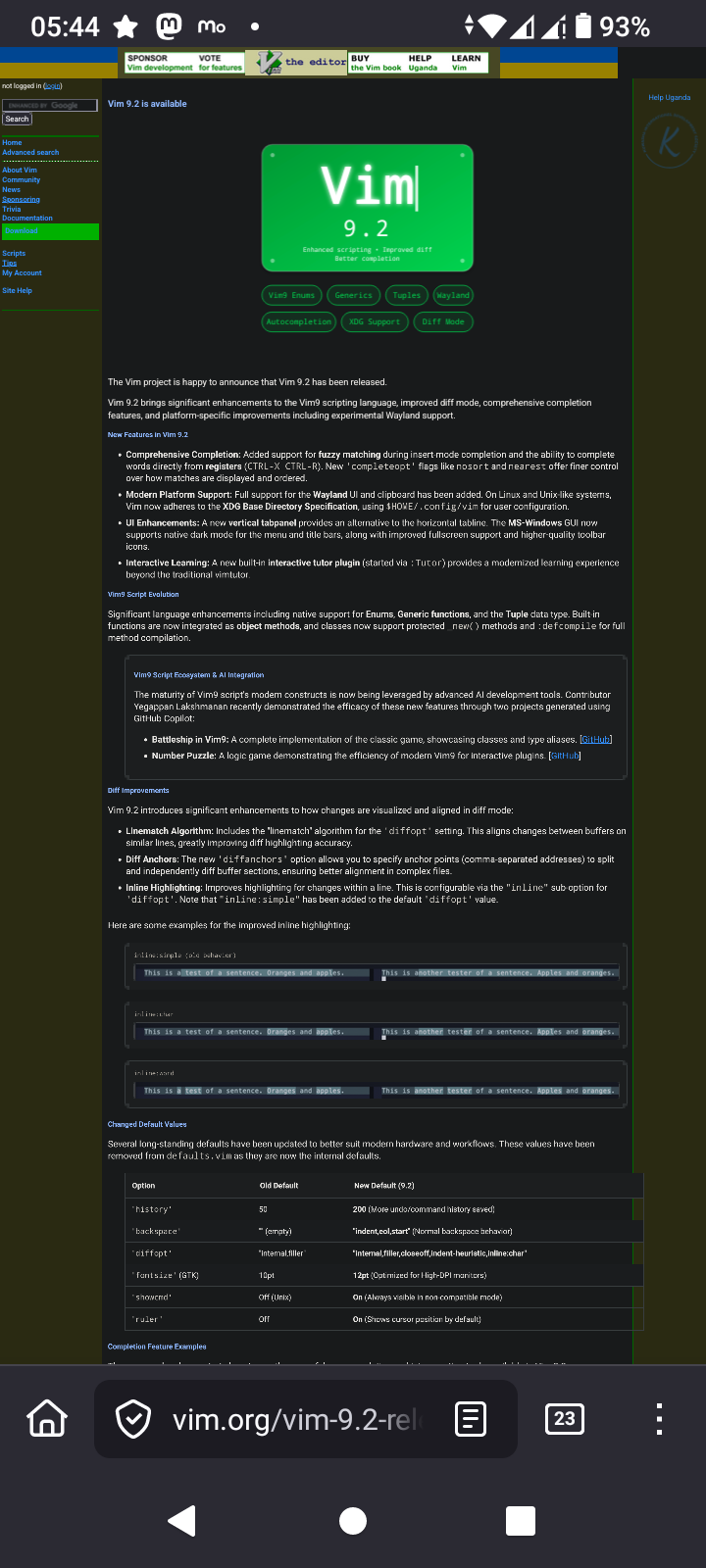
Vim v9.2 is released. There are many magnífico features I look forward to use. VIM is a Swiss Army Knife for editing Source Code & text.
The features are too many to mention, no really I don't know them all; NOBODY DOES!
Just like with the GiMP I know the functions I need and learn more when the requirement arizes. VIM has an extensive help system which Bram Molenaar et all developed over the decades that VIM exists.
History
VIM was initially coded on the Amiga computer systems of which I own an A4000T with a Cyberstorm 060 and Max Ram, with RTG card (Picasso 96), a A1200 vanilla with a stock HDD & an A500 with stock RAM (chip and fast) and 3 FDD 2x 3.5" 1x 5 1/4"
Bram wrote VIM in such a way that it runs on the A500 with just 512kB RAM!
There are people who love EMACS. To them I say
<flame bait>
EMACS can't hold a candle to VIM
</flame bait>
Of course that is just humour. In the Open Source world choice is what makes us all work and play well on whatever hardware we have with whatever tools we love
>> Quote
New Features in Vim 9.2
Comprehensive Completion: Added support for fuzzy matching during insert-mode completion and the ability to complete words directly from registers (CTRL-X CTRL-R). New 'completeopt' flags like nosort and nearest offer finer control over how matches are displayed and ordered.
Modern Platform Support: Full support for the Wayland UI and clipboard has been added. On Linux and Unix-like systems, Vim now adheres to the XDG Base Directory Specification, using $HOME/.config/vim for user configuration.
UI Enhancements: A new vertical tabpanel provides an alternative to the horizontal tabline. The MS-Windows GUI now supports native dark mode for the menu and title bars, along with improved fullscreen support and higher-quality toolbar icons.
Interactive Learning: A new built-in interactive tutor plugin (started via :Tutor) provides a modernized learning experience beyond the traditional vimtutor.
^Z
>> Quote II
Vim9 Script Ecosystem & AI Integration
The maturity of Vim9 script's modern constructs is now being leveraged by advanced AI development tools. Contributor Yegappan Lakshmanan recently demonstrated the efficacy of these new features through two projects generated using GitHub Copilot:
Battleship in Vim9: A complete implementation of the classic game, showcasing classes and type aliases. [GitHub]
Number Puzzle: A logic game demonstrating the efficiency of modern Vim9 for interactive plugins. [GitHub]
^Z
I wonder why they have LLM support?
Note
The download page looks horrible on mobile so you'd be wise to view it on desktop
If this is your first time using VIM and you didn't bother to read the help file with `:h`
Just exit VIM type `:wq` to write & exit or type `:q!` to exit without saving the file
#Vim #VimMasterRace #tips #tricks #handy #features #Vi #EMACS #editor #text #freeBSD #ghostBSD #BSD #Linux #OpenSource #POSIX
curl libcurl
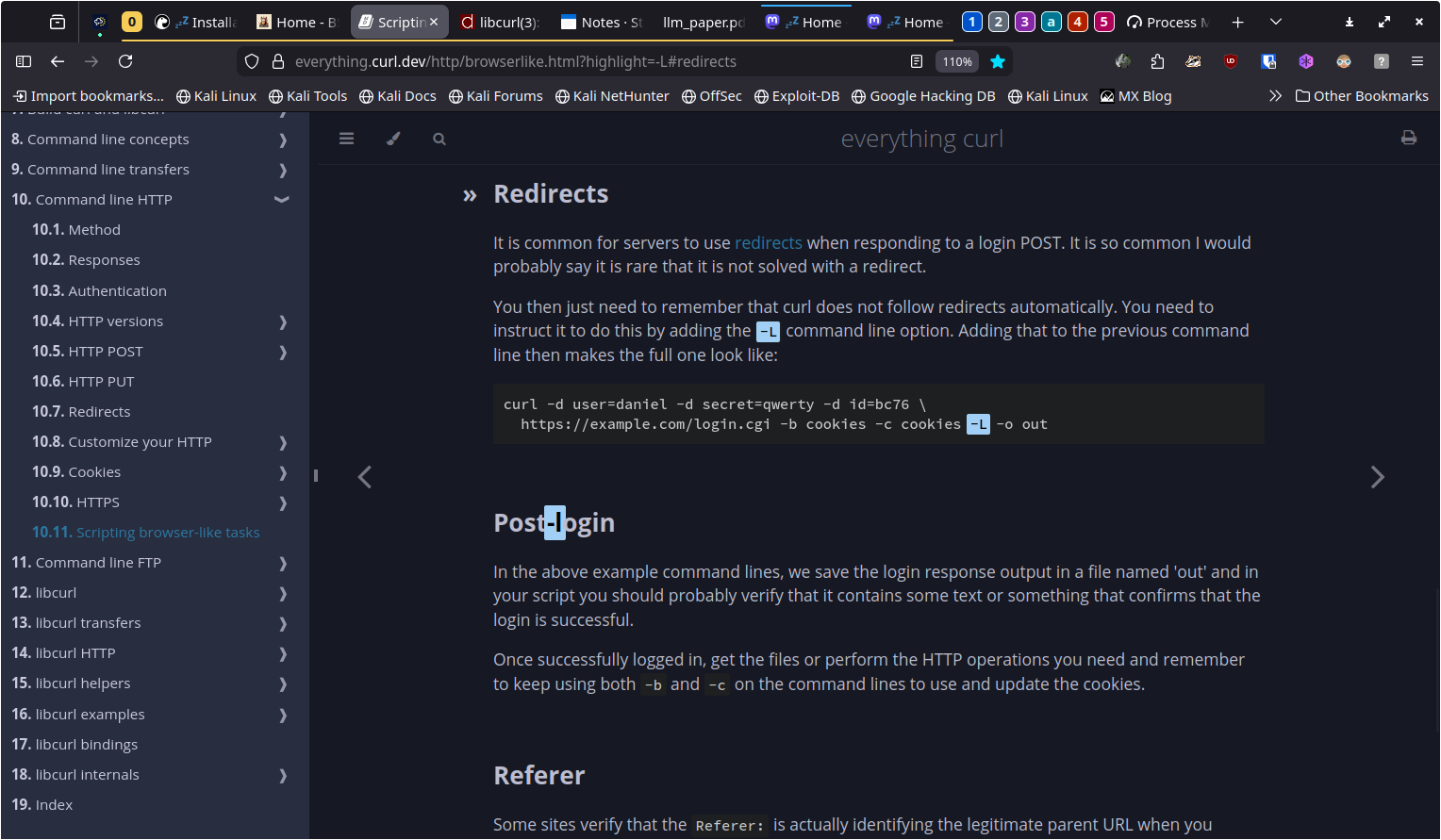
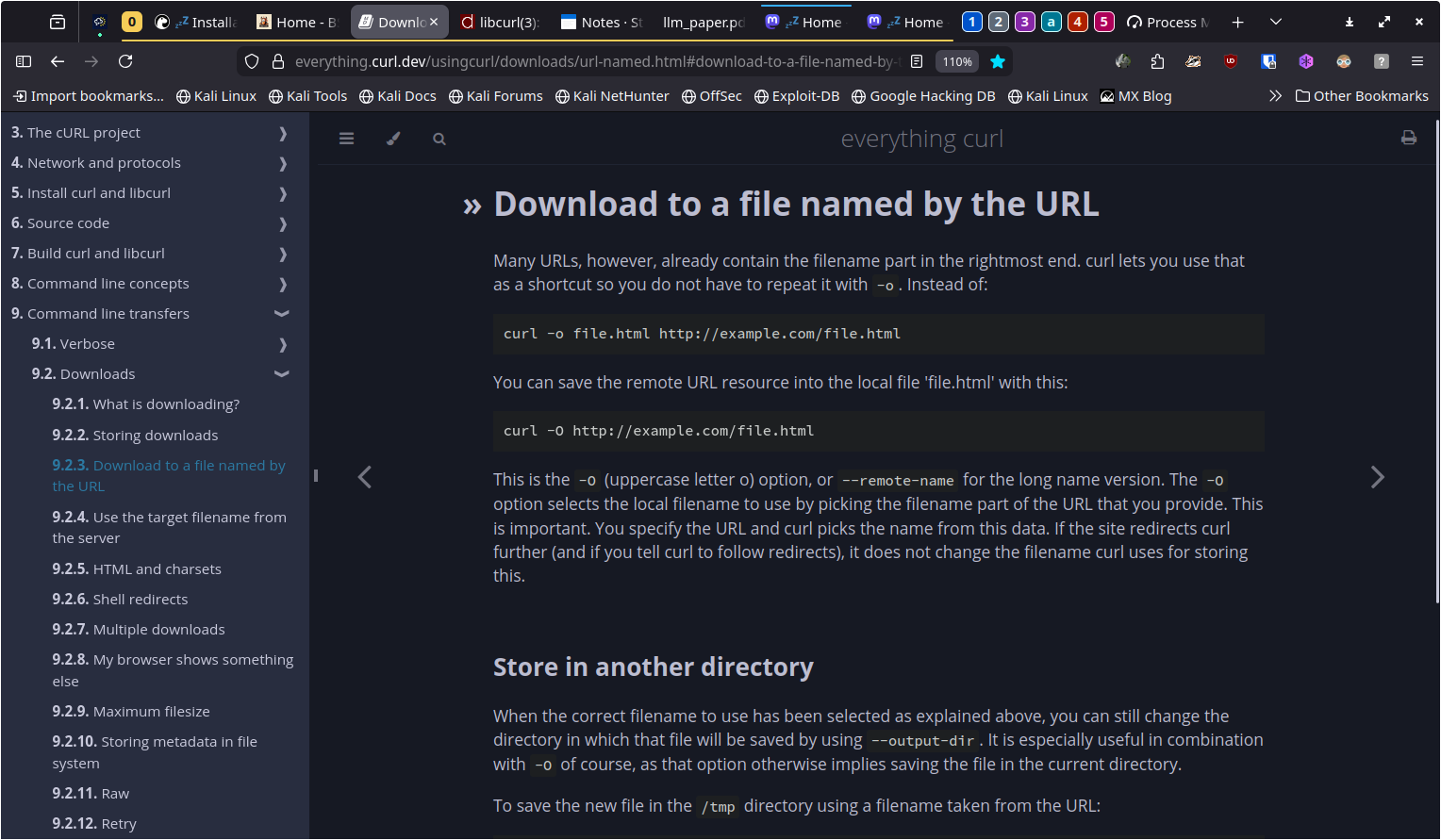
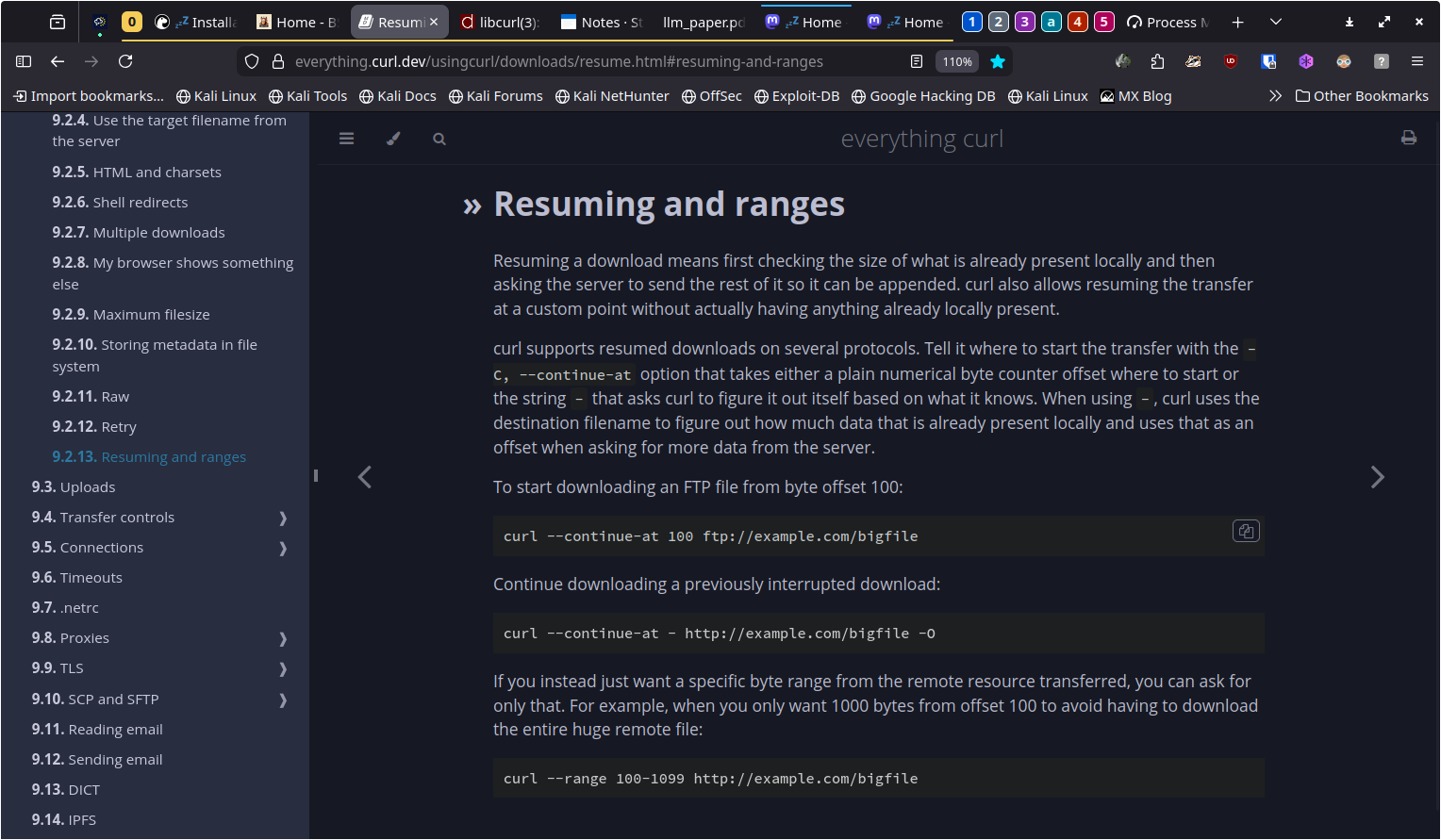
Just in case you have forgotten how to curl a file from a server here's a extensive howto with screenshots
`-L` redirect
https://everything.curl.dev/http/browserlike.html?highlight=-L#redirects
`-o` filename
https://everything.curl.dev/usingcurl/downloads/url-named.html#download-to-a-file-named-by-the-url
`-C -` resume
https://everything.curl.dev/usingcurl/downloads/resume.html#resuming-and-ranges
`curl --verbose -C - -L -o lp_someband_some_name_disc1side2.flac archive.org/download/lp_someband_somename-v/disc1/lp_someband_somename_disc1side2.flac`
#curl #get #programming #technology #fetch #networking #https #http #ftp #OpenSource #POSIX #BSD #freeBSD #ghostBSD #openBSD #Linux #win64 #mac
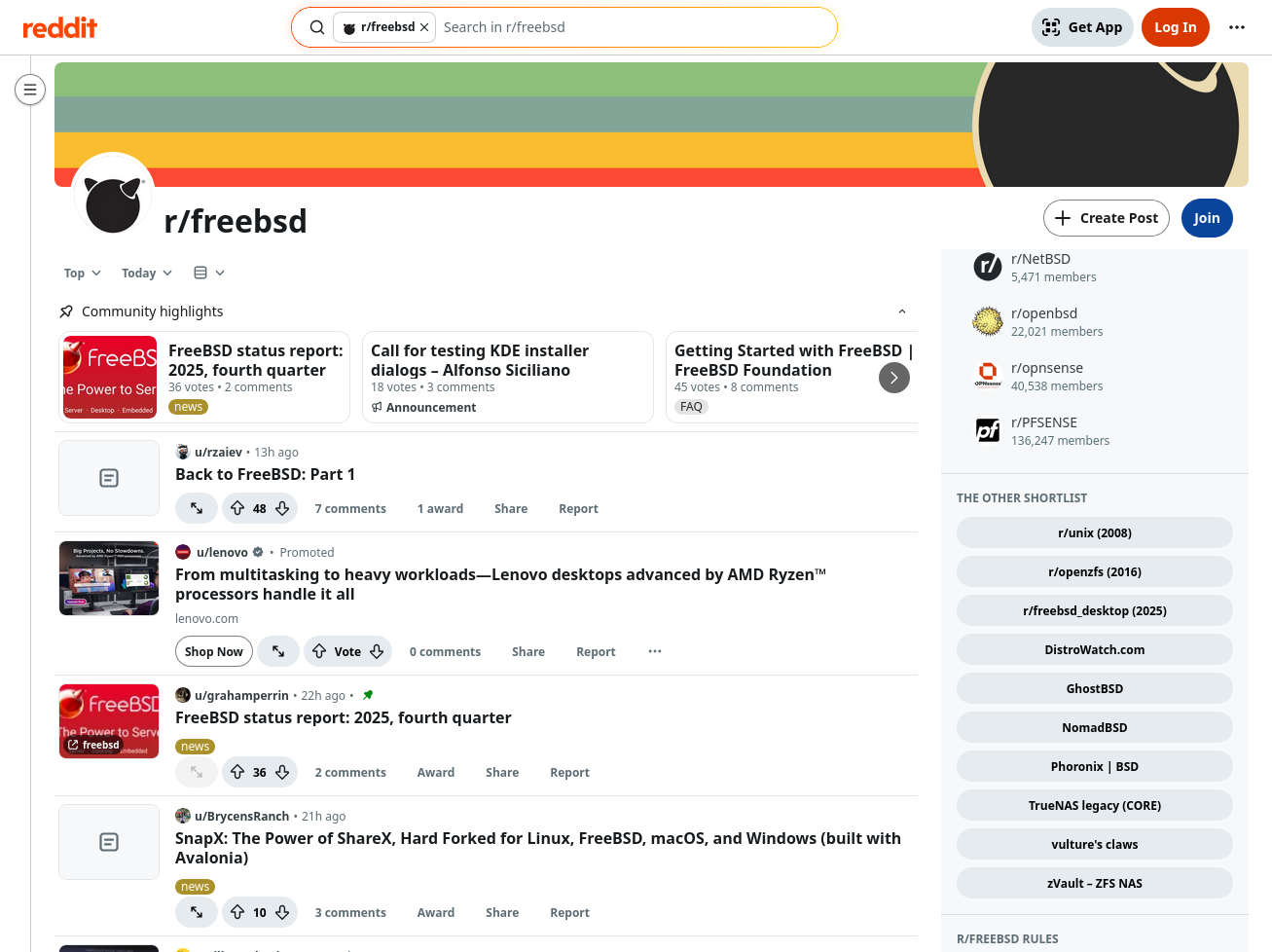
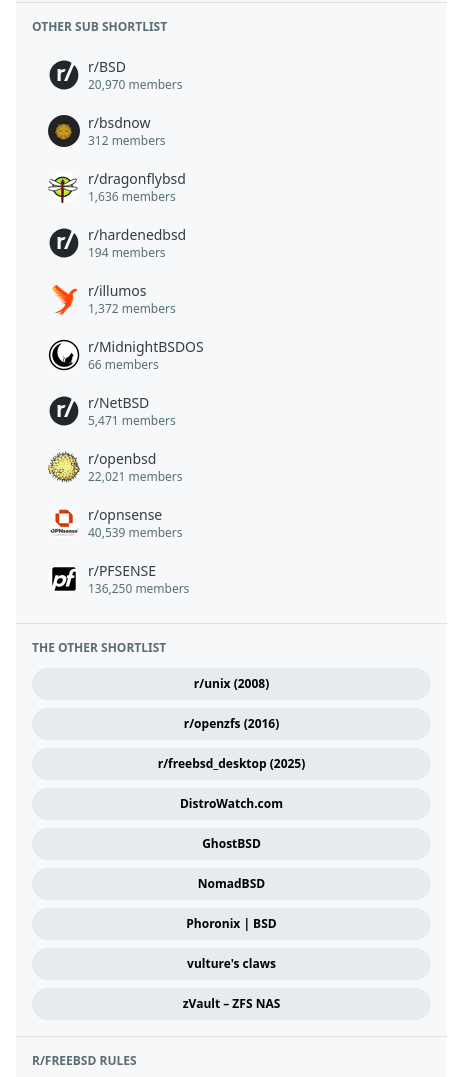
The removal of TrueNAS legacy (CORE) leaves space for a tenth button.
What would you like?
The button need not be FreeBSD-specific. Discussions frequently attract users of other systems.
The sidebar of r/freebsd is crowded (very tall), and this cluster of buttons is relatively far down, so I doubt that it will gain much attention. Still, cafe community thoughts are welcome.
Three screenshots:
1. an overview of <https://www.reddit.com/r/freebsd/top/?sort=top&t=day> before removal of the TrueNAS button
2. the entire sidebar as represented at <https://sh.reddit.com/r/freebsd/about/>
3. focus on the other sub shortlist, and the other shortlist, within the sidebar.
Thanks.
#Mastodon tip: There is a way to use only part of a word as a hashtag!
For example, you might want to say the word “toots”, but use the hashtag “toot”.
To do this, place a U+2060 WORD JOINER before the “s” in “toots”. Example: #toots.
If you're using #X11 or #Wayland (i.e. #Linux or #BSD desktop), you can add the following line to ~/.XCompose to give yourself a keyboard shortcut:
<Multi_key> <w> <j> : "" U2060 # WORD JOINER
Then just type Compose, then W, then J.