#FOSS #Unix #FediASK
slackware
#FOSS #Unix #FediASK
As a long-time Slackware user, I’ve always preferred minimal and efficient setups like Fluxbox, IceWM and twm, and pekwm fits perfectly into that tradition.
What I enjoy the most is how simple, fast and predictable it is.
I use only my laptop (no external monitor), and pekwm gives me exactly what I want: a clean environment, flexible keybindings, mouse-friendly workflow and no unnecessary complexity.
I’m also using pekwm’s group/tab feature with rules like:
Property = "^Alacritty,^Alacritty,,.*" { ApplyOn = "New Start Reload"; Group = "netwin" { Size = "0" } }
Property = "^Navigator,^firefox,,.*" { ApplyOn = "New Start Reload"; Group = "netwin" { Size = "0" } }
Property = "^xterm,^XTerm" { ApplyOn = "New Start Reload"; Group = "netwin" { Size = "0" } }
It also reminds me of this classic article showing how developers desktops hardly changed over the years, always focused on minimal window managers and simple tools:
https://anders.unix.se/2015/12/10/screenshots-from-developers--2002-vs.-2015/
Pekwm has the same timeless Unix spirit.
Great work, and thanks for keeping this project alive!
#pekwm #slackware
The alt.os.linux.slackware FAQs [1] are one of the most comprehensive resources to get started with Slackware.
[1] https://www.therockgarden.ca/aolsfaq.txt
No plugins. No syntax highlighting. Just speed, predictability, and classic vi behavior, even with multi-GB files.
I wrote a short guide explaining why nvi still matters and how its architecture enables fast, low-memory editing.
📄 https://4c6e.xyz/code_notes.html (NVI Editor Guide)
📄 https://git.sr.ht/~r1w1s1/code-notes/blob/main/notes/NVI_Editor_Guide.txt (plain text)
#slackware #editor #nvi #vi #unix #minimalism
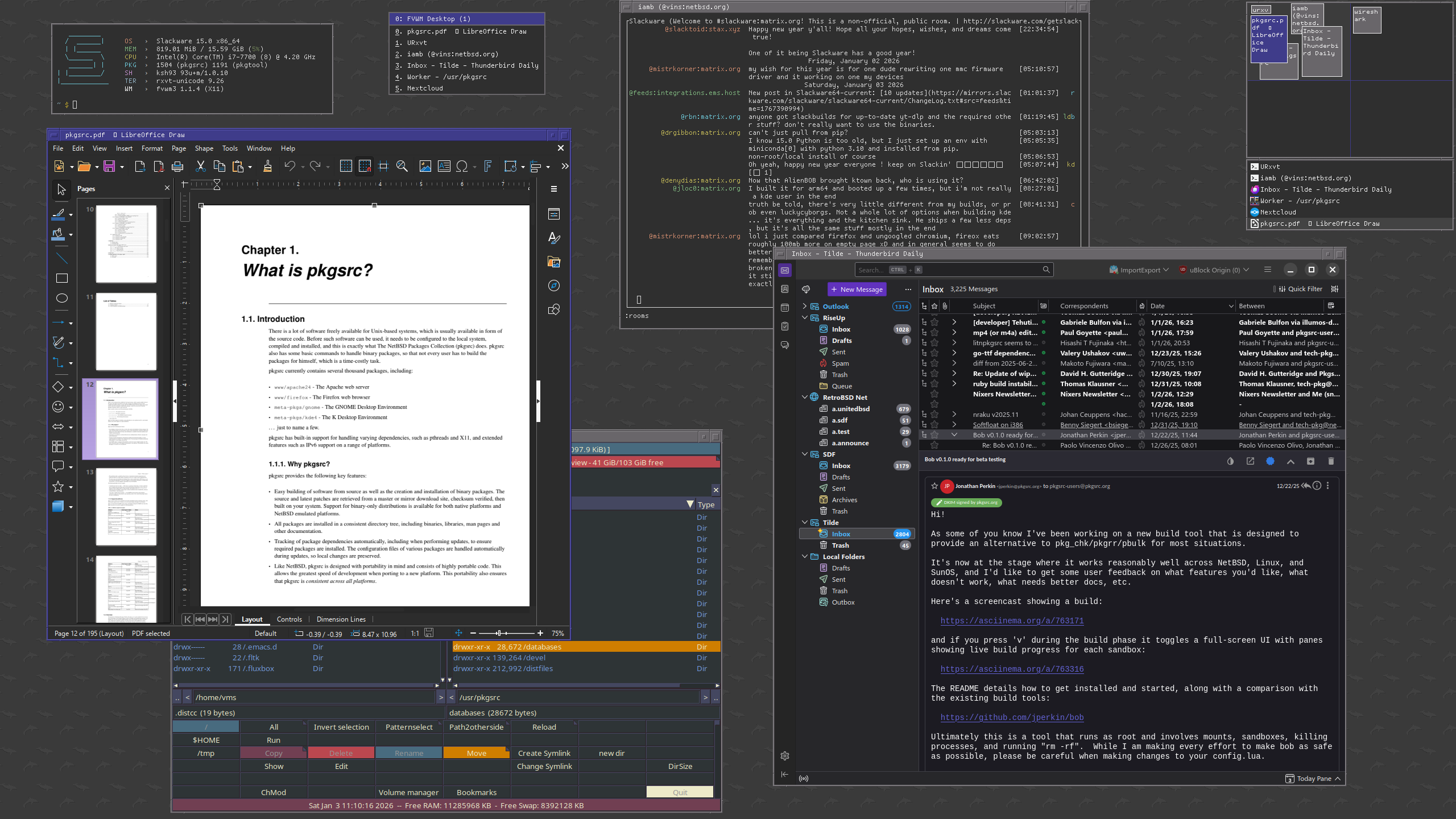
Fresh pkgsrc 2025Q4 packages for Slackware 15.0 now available.
Thunderbird 145, Libreoffice 25.8, XFCE 4.20, and much more.
https://retrobsd.ddns.net/pub/packages/All/
rsync://retrobsd.ddns.net
Before systemd. Before Wayland.
Just KDE 3, Konsole, and Slackware doing exactly what you told it to do.
20 years later and the philosophy hasn’t changed.
https://www.reddit.com/r/unixporn/s/H0QrkazxbJ
#slackware #kde #x11
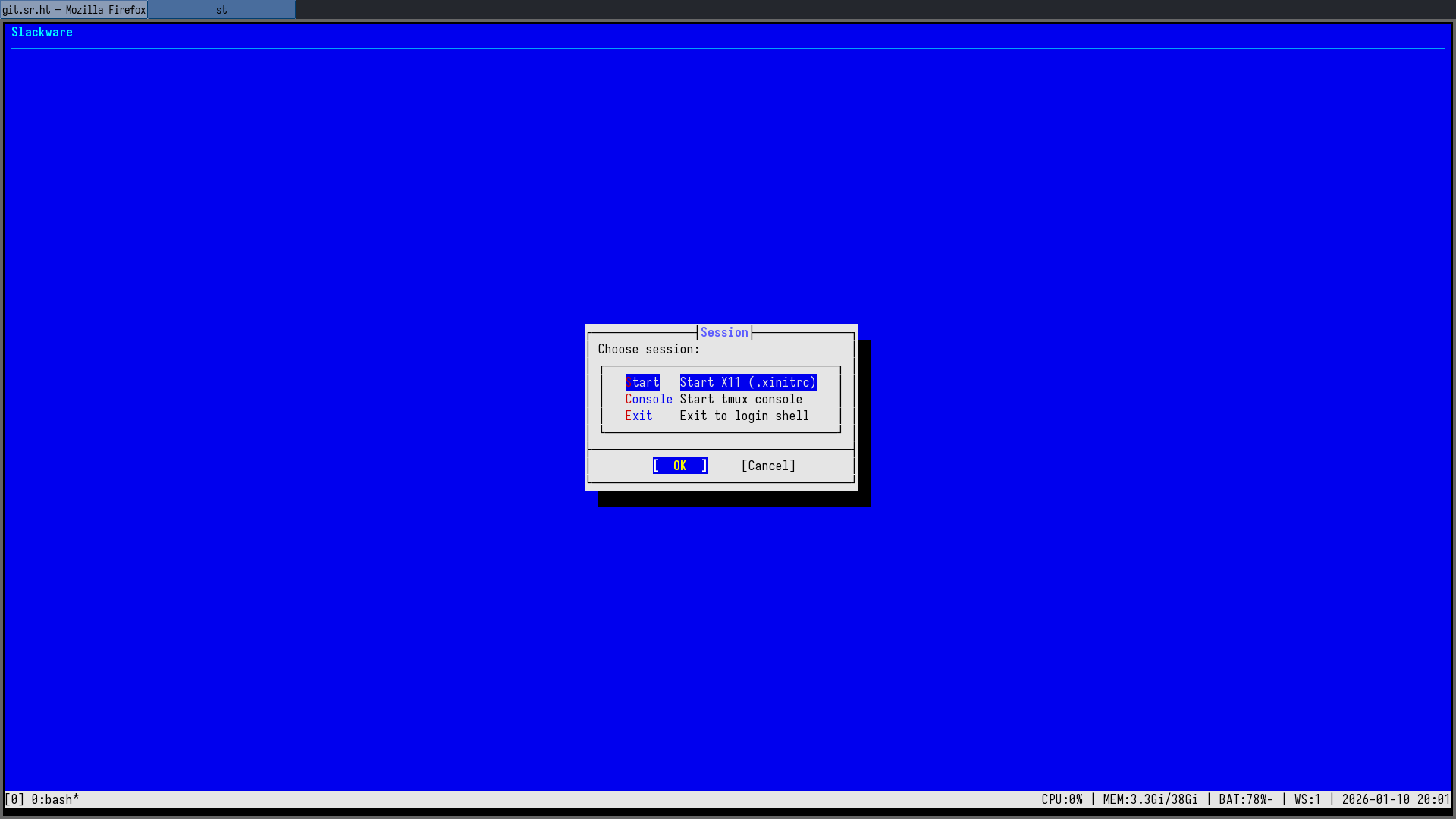
Built bsddialog from git (thanks to @alfonsosiciliano for the project) and wired it into my tty1 session menu — this is what my login screen looks like now.
Clean fonts, proper spacing, no GUI toolkit… it really feels like a real BSD-style installer, not just “dialog in a box”.
#BSD #Slackware #TUI #Unix
I even found and reported a small -snap bug in evilwm while testing 🙂
#Slackware #X11 #Unix #pekwm #evilwm
I spent the last days building and testing a few minimalist X11 window managers on Slackware: evilwm, shod and Notion — even patching Notion to build with GCC 15.
evilwm is still my lightweight, workspace-oriented backup WM, but for a tab-based, rule-driven stacking workflow, nothing I tried comes close to pekwm.
Firefox, terminal and mail living in one frame, out of the way — that’s still the sweet spot for me.
#pekwm #Slackware #X11 #Unix
I’m currently having a hard/fun time trying to run #Slackware with encrypted #ZFS root. Not like it’s something many seem to do (or document).
Hopefully, https://openzfs.github.io/openzfs-docs/Getting%20Started/Slackware/index.html and https://docs.slackware.com/howtos:slackware_admin:zfs_root are great. But I have only read it 3 times and unsuccessfully applied dozens yet 😰
It’s about understanding the system, from boot to shell.
This video explains well why Slackware still matters.
https://youtu.be/pRp1I3OzMEY
#slackware
The codebase is surprisingly readable and well-organized... unlike larger projects where you get lost in abstraction layers, mtm's simplicity makes it an excellent study resource for learning C.
You can actually understand the entire program flow in a reasonable amount of time.
Bonus: there's already a SlackBuild available, so Slackware users can integrate it seamlessly into their system without manual compilation headaches.
If you want tmux functionality without tmux complexity, check it out.
https://slackbuilds.org/repository/15.0/system/mtm/
#suckless #terminal #slackware #C