
<p>Did you know that you can run <span class="h-card"><a href="https://fosstodon.org/@ratatui_rs" class="u-url mention" rel="nofollow noopener noreferrer" target="_blank">@<span>ratatui_rs</span></a></span> inside <span class="h-card"><a href="https://fosstodon.org/@ratatui_rs" class="u-url mention" rel="nofollow noopener noreferrer" target="_blank">@<span>ratatui_rs</span></a></span> inside @kittyterminal inside @kittyterminal over <a href="/tags/ssh/" rel="tag">#SSH</a>? </p><p>Now you know.</p><p>Explanation in the alttext.</p><p><a href="/tags/ratatui/" rel="tag">#ratatui</a> <a href="/tags/terminal/" rel="tag">#terminal</a> <a href="/tags/tui/" rel="tag">#tui</a> <a href="/tags/kitty/" rel="tag">#kitty</a> <a href="/tags/kittyterminal/" rel="tag">#kittyterminal</a></p>
ssh

Nice deep dive into SSH keystroke obfuscation and why packet captures look so noisy. Learned something new here.<br><a href="https://eieio.games/blog/ssh-sends-100-packets-per-keystroke/" rel="nofollow" class="ellipsis" title="eieio.games/blog/ssh-sends-100-packets-per-keystroke/"><span class="invisible">https://</span><span class="ellipsis">eieio.games/blog/ssh-sends-100</span><span class="invisible">-packets-per-keystroke/</span></a><br><br><a href="/tags/openssh/" rel="tag">#openssh</a> <a href="/tags/ssh/" rel="tag">#ssh</a><br>

<p>This is how I feel when I ssh using my mobile phone.</p><p><a href="/tags/ssh/" rel="tag">#ssh</a> <a href="/tags/linux/" rel="tag">#linux</a> <a href="/tags/unix/" rel="tag">#unix</a> <a href="/tags/android/" rel="tag">#android</a> <a href="/tags/ios/" rel="tag">#ios</a></p>

TIL that too many ssh keys can be a thing. Logging into one vm always failed. The key was in the agent, everything looked OK. Turns out <a href="/tags/ssh/" rel="tag">#ssh</a> just throws keys at the server until one sticks and if you have more keys than the server accepts attempts to auth you may fail to log in.<br>This is not serious software.<br>


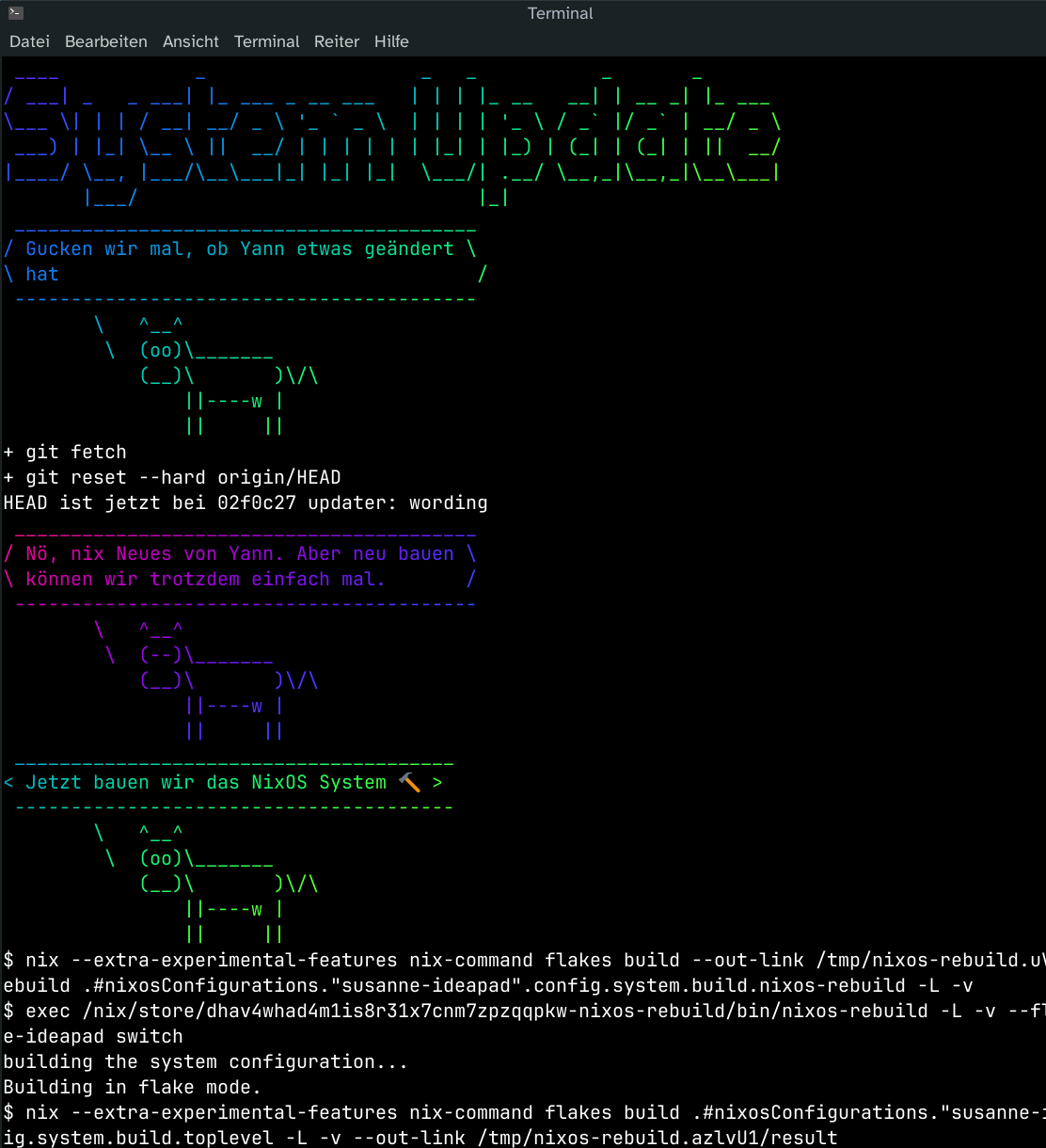
<p>I yanked <img src="https://neodb.social/media/emoji/fosstodon.org/manjaro.png" class="emoji" alt=":manjaro:" title=":manjaro:"> <a href="/tags/manjaro/" rel="tag">#Manjaro</a> off of my mother's laptop and replaced it with a nicely customized <img src="https://neodb.social/media/emoji/fosstodon.org/nixos.png" class="emoji" alt=":nixos:" title=":nixos:"> <a href="/tags/nixos/" rel="tag">#NixOS</a>. </p><p>She now has a button to pull config updates from my <a href="/tags/homelab/" rel="tag">#homelab</a> and build it (also done regularly in the background). Old versions stay selectable at boot.</p><p>When she has a problem, there's shortcuts for <a href="/tags/rustdesk/" rel="tag">#RustDesk</a> and ad-hoc reverse <a href="/tags/ssh/" rel="tag">#SSH</a> tunnels.</p><p>I can test everything in a VM, then add changes, she'll pick it up eventually or right away.</p><p>Loosely inspired by <span class="h-card"><a href="https://fosstodon.org/@codemonkeymike" class="u-url mention" rel="nofollow noopener noreferrer" target="_blank">@<span>codemonkeymike</span></a></span>'s <a href="/tags/nixbook/" rel="tag">#nixbook</a>.</p>

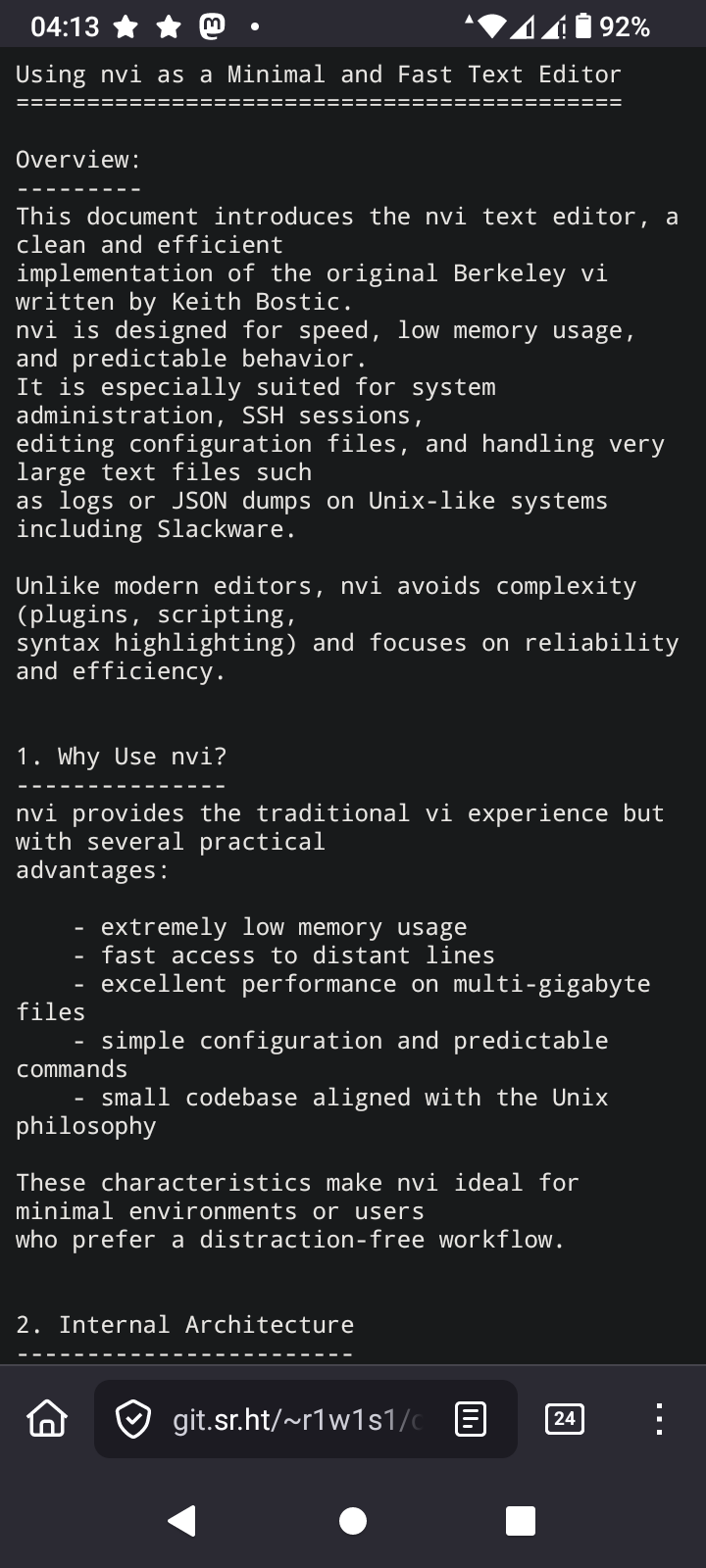
<p>TIL again, about low ram footprint editors in OpenSource environments.</p><p>In the period where the following commands were valid</p><p>ATX3DT <br>ATA </p><p>Such editors were standard. I'm talking about vi. Over extremely noisy POTS lines without error correction, vi was the only editor you could use safely. I remember switching from editing mode to reading mode as frequently as possible, because the 2400 BPS modem from the SR University, had difficulty to keep the line as noise free as possible due to the archaic hardware infrastructure of the phone company.</p><p>The editor I'm learning again about is nvi<br>I'm going to take a deep dive into this, because one thing I love is using the least memory as possible while computing </p><p><a href="/tags/vi/" rel="tag">#vi</a> <a href="/tags/nvi/" rel="tag">#nvi</a> <a href="/tags/vim/" rel="tag">#vim</a> <a href="/tags/vimmasterrace/" rel="tag">#VimMasterRace</a> <a href="/tags/editor/" rel="tag">#editor</a> <a href="/tags/ssh/" rel="tag">#SSH</a> <a href="/tags/at/" rel="tag">#AT</a> <a href="/tags/hayes/" rel="tag">#Hayes</a> <a href="/tags/opensource/" rel="tag">#OpenSource</a> <a href="/tags/programming/" rel="tag">#programming</a> <a href="/tags/linux/" rel="tag">#Linux</a> <a href="/tags/technology/" rel="tag">#technology</a> </p><p><a href="https://4c6e.xyz/code_notes.html" rel="nofollow"><span class="invisible">https://</span>4c6e.xyz/code_notes.html</a></p>
Edited 114d ago

<p>用 <a href="/tags/ssh/" rel="tag">#SSH</a> 连接到 <a href="/tags/git/" rel="tag">#Git</a> 仓库似乎比 HTTPS 稳定多了,刚才把 commit 推送到 Codeberg 一直出现 SSL 问题,我还以为是代理或者 Codeberg 本身的问题,但访问 <a href="http://codeberg.org" rel="nofollow">codeberg.org</a> 又没问题。之前推送到 GitHub 也会偶尔出现这种问题,估计是网络环境不稳定导致的。</p><p>如果是 SSL 的问题的话,那不用 HTTPS 不就行了吗?于是把 remote 换成了 SSH 链接,由于 Codeberg 有我的 SSH 公钥,所以连密码验证都不需要了,而且连接非常稳定,问题瞬间解决。</p><p>以后就用纯 SSH + SSH Key 连接所有的远程 Git 仓库,有点太好用,HTTPS 和 PGP/GPG Key 可以站一边去了。:discordcool:</p>
Edited 32d ago



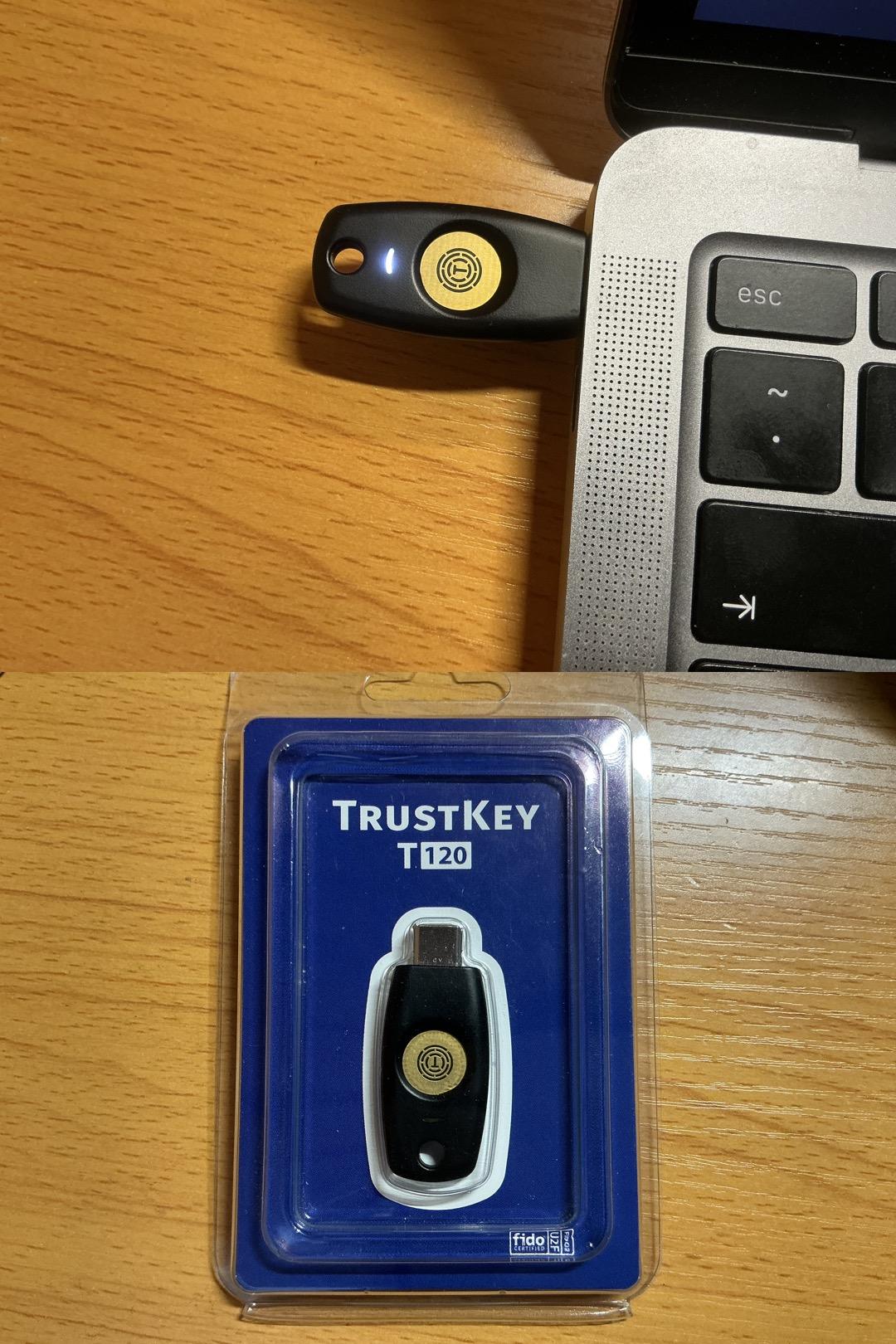
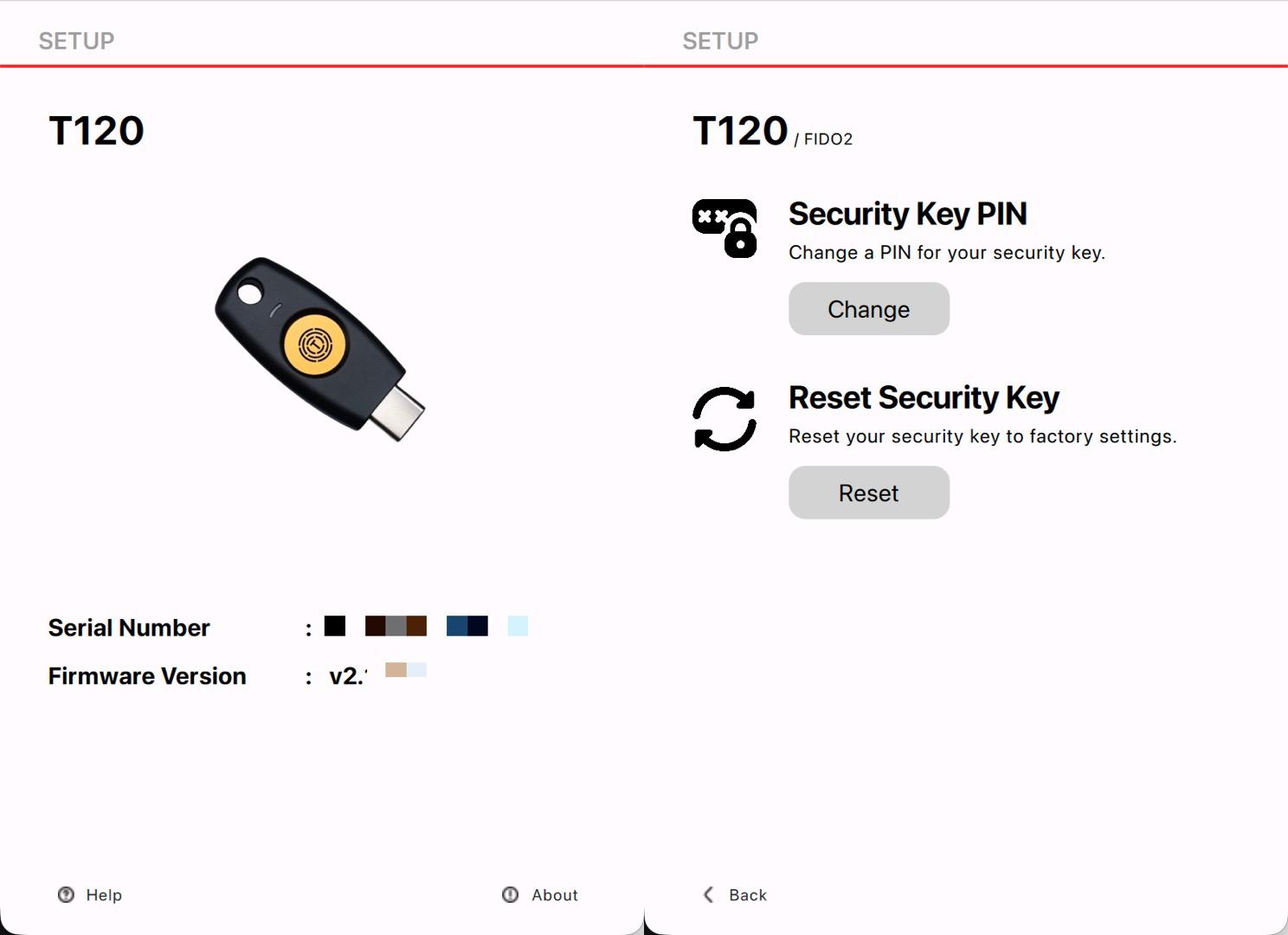
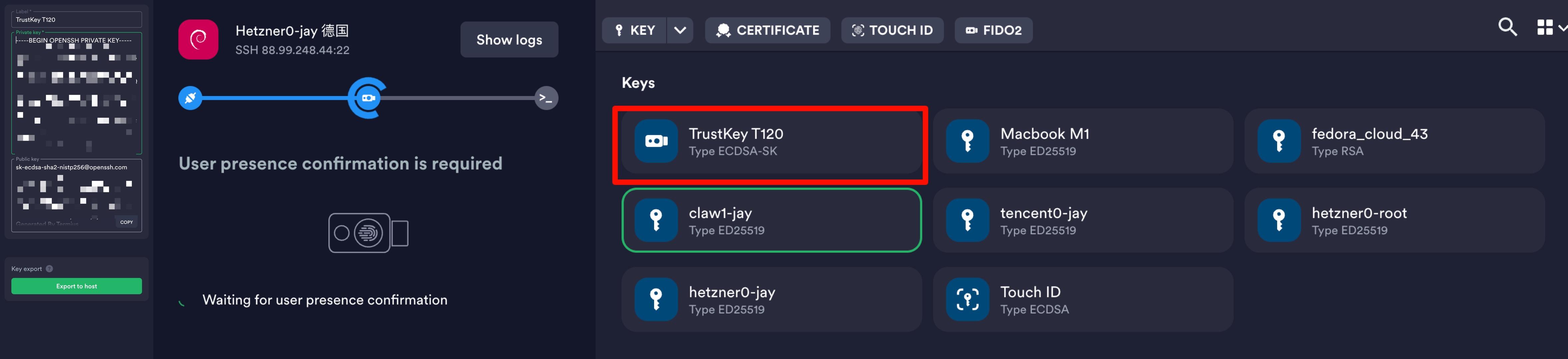
<p>termius上还可以将fido2作为keychain<br>突然想起来大一上学期买了一个TrustKey T120<br>试着配置突然想起来自己忘记了PIN<br>去官网找到了reset方法和管理软件<br>PDF:<a href="https://www.trustkey.jp/manual/biomanager_user_manual_eng_v3.3.pdf" rel="nofollow" class="ellipsis" title="www.trustkey.jp/manual/biomanager_user_manual_eng_v3.3.pdf"><span class="invisible">https://</span><span class="ellipsis">www.trustkey.jp/manual/biomana</span><span class="invisible">ger_user_manual_eng_v3.3.pdf</span></a><br>Download:<a href="https://www.trustkeysolutions.com/en/sub/support.form" rel="nofollow" class="ellipsis" title="www.trustkeysolutions.com/en/sub/support.form"><span class="invisible">https://</span><span class="ellipsis">www.trustkeysolutions.com/en/s</span><span class="invisible">ub/support.form</span></a></p><p>ok重置好pin🔒和指纹了</p><p><a href="/tags/trustkey/" rel="tag">#trustkey</a> <a href="/tags/pin/" rel="tag">#pin</a> <a href="/tags/fido2/" rel="tag">#fido2</a> <a href="/tags/termius/" rel="tag">#termius</a> <a href="/tags/t120/" rel="tag">#t120</a> <a href="/tags/pin/" rel="tag">#pin</a> <a href="/tags/fingerprint/" rel="tag">#fingerprint</a> <a href="/tags/ssh/" rel="tag">#ssh</a></p>
<p>找了个时间优化了服务器便利性和“安全性”</p><p>1. Termius访问<br>Termius生成三个密钥分配给三台服务器<br>export到~/.ssh/authorized_keys<br>检查authorized_keys内容正确<br>测试密钥&无密码登录</p><p>2. 配置ufw<br>sudo ufw default deny incoming<br>sudo ufw default allow outgoing<br>sudo ufw allow http<br>sudo ufw allow https<br>sudo ufw allow 特殊端口/tcp<br>sudo ufw enable<br>sudo ufw status verbose</p><p>3. 配置fail2ban<br>sudo nano /etc/fail2ban/jail.local<br>[DEFAULT]<br>bantime = 1h<br>findtime = 10m<br>maxretry = 5<br>banaction = ufw<br>ignoreip = 127.0.0.1/8 ::1 X Y Z<br>[sshd]<br>enabled = true<br>port = 特殊端口<br>backend = systemd</p><p>sudo apt update && sudo apt install python3-systemd -y<br>sudo systemctl enable --now fail2ban<br>sudo systemctl restart fail2ban<br>sudo fail2ban-client status sshd</p><p>3. 配置sshd_config<br>sudo nano /etc/ssh/sshd_config<br>Port 特殊端口<br>PermitRootLogin no<br>PubkeyAuthentication yes<br>PasswordAuthentication no</p><p>sudo sshd -t<br>sudo systemctl restart ssh</p><p>4. 更改hostname<br>sudo hostnamectl set-hostname xxx<br>sudo nano /etc/hosts<br>修改127.0.1.1 后主机名为xxx<br>hostnamectl status</p><p>5. 配置互通<br>ssh-keygen -t ed25519 -C "from_$(hostname)" -N "" -f ~/.ssh/id_ed25519<br>cat id_ed25519.pub<br>nano ~/.ssh/authorized_keys<br>一共三行,Termius pub、其他两台服务器的pub</p><p>6. 配置Alias<br>nano ~/.bashrc<br>alias nc='ssh -p 特殊端口 jay@ipX'<br>alias cc='ssh -p 特殊端口 jay@ipY'<br>alias hd='ssh -p 特殊端口 jay@ipZ'<br>source ~/.bashrc<br>nc (netcup)<br>cc (clawcloud)<br>hd (hostdzire)<br>或者<br>nano ~/.ssh/config<br>Host nc<br> HostName X<br> Port 特殊端口<br> User jay<br>Host cc<br> HostName Y<br> Port 特殊端口<br> User jay<br>Host hd<br> HostName Z<br> Port 特殊端口<br> User jay<br>ssh nc<br>ssh cc<br>ssh hd<br>还可以加上“ProxyJump cc”连 xxx 之前先跳到 cc</p><p><a href="/tags/ssh/" rel="tag">#ssh</a> <a href="/tags/sshd/" rel="tag">#sshd</a> <a href="/tags/pub/" rel="tag">#pub</a> <a href="/tags/alias/" rel="tag">#alias</a> <a href="/tags/proxyjump/" rel="tag">#ProxyJump</a> <a href="/tags/authorized_keys/" rel="tag">#authorized_keys</a> <a href="/tags/termius/" rel="tag">#termius</a> <a href="/tags/ufw/" rel="tag">#ufw</a> <a href="/tags/fail2ban/" rel="tag">#fail2ban</a></p>

🦣 Stegodon <a href="https://github.com/deemkeen/stegodon/releases/tag/v1.8.2" rel="nofollow">v1.8.2</a> brings configurable SSH idle timeouts and migrates to wish v2 for a smoother terminal experience! More control and cleaner code. <a href="/tags/stegodon/" rel="tag">#stegodon</a> <a href="/tags/fediverse/" rel="tag">#fediverse</a> <a href="/tags/golang/" rel="tag">#golang</a> <a href="/tags/ssh/" rel="tag">#ssh</a>