I wrote a bit about what went on at the recent Python Core Sprint at #Arm in Cambridge, plus some bonus @PyConUK highlights.
python
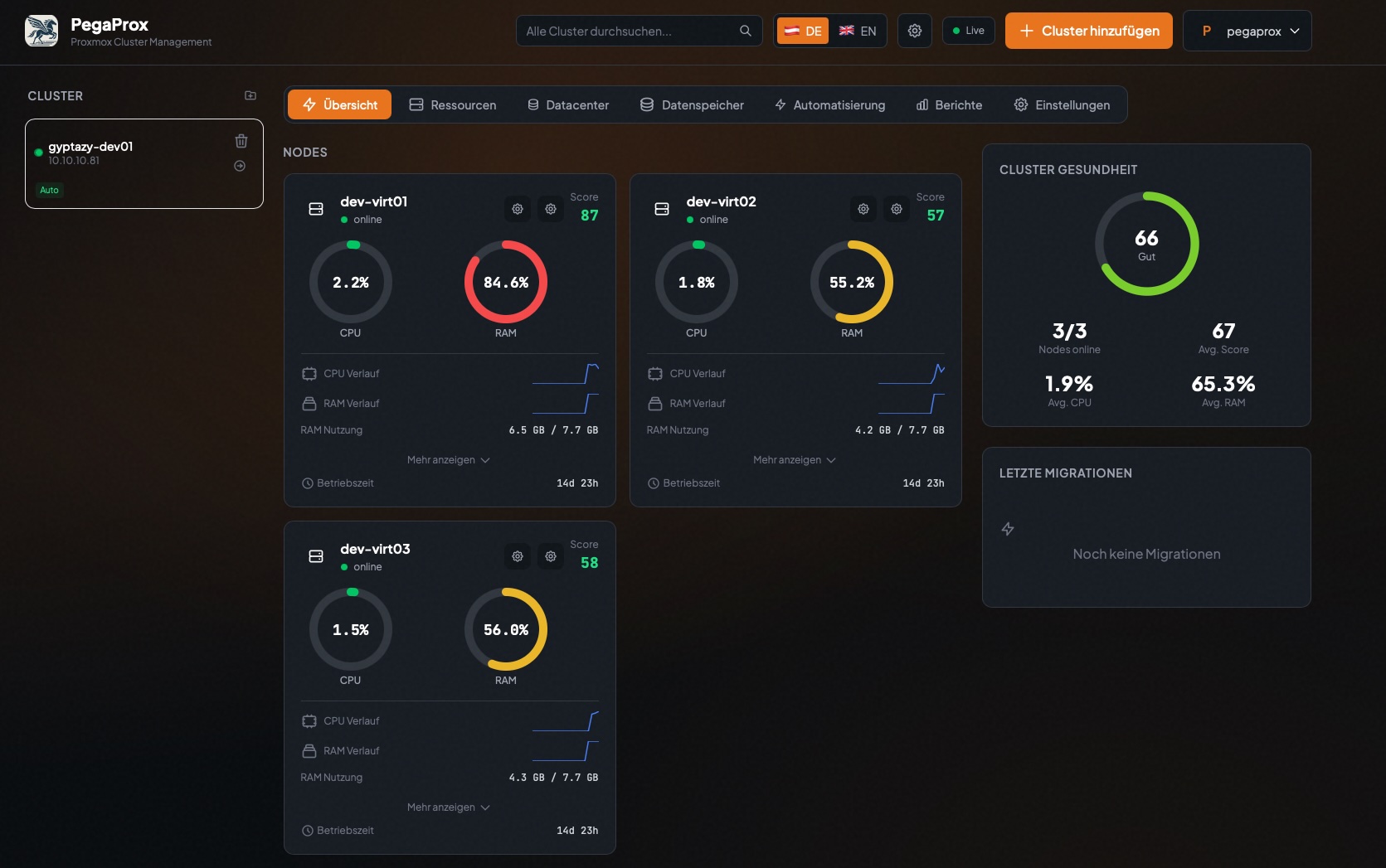
PegaProx steps in as a real manager with a feature set that you might already know from enterprise solutions which simplifies and standardizes the management of Proxmox based infrastructures.
Each capability focuses on reducing operational complexity while giving operators full control over clusters, nodes, storage, and virtual machines like:
Unified Multi Cluster Management
Node and Cluster Monitoring
User & Group Management
Semi-automated Node Security Patch Management
Cross Cluster Migration
Virtual Machine & Container Management
CPU Alignment over Nodes for safe VM live-migrations
Intelligent Load Balancing for VMs
Intelligent Load Balancing for Storage
High Availability and Failover
User-, Group- & Tenancy Management
And much more...
This will become a game changer for Proxmox users - especially in enterprises which adds all the often requested but missing functions!
You can already find my first insights about it in my blog post: https://gyptazy.com/blog/pegaprox-real-datacenter-manager-proxmox-clusters/
#PVE #enterprise #virtualization #management #python #ProxmoxVE #opensource #ProxLB #ProxCLMC #ProxSnap

@simontatham It's been a looong time since I used #putty (I ran it in a #Wine "bottle", these came from #flatpak, I'm using Debian 13 #KDE). Thanks for all your efforts!
To my mind, 98% of the time, people would use putty to log into a #linux box/VPS, like say a #RaspberryPi (Raspberry Pi OS, is #Debian Trixie 13-based). This would be a sensible default assumption, **demographically**.
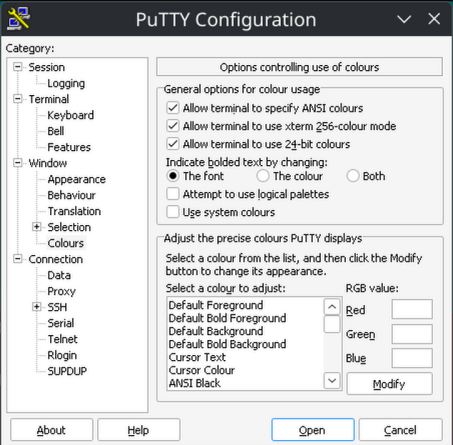
It took a good 2 hours of struggling, just to get 256 colors to work in Putty! (#Python's textualize library seriously expects 256, or *it can crash* when the Theme is changed). Please let the defaults be sane, so there's no struggle for 256 colors! Please alleviate my nerd rage - I beseech you!
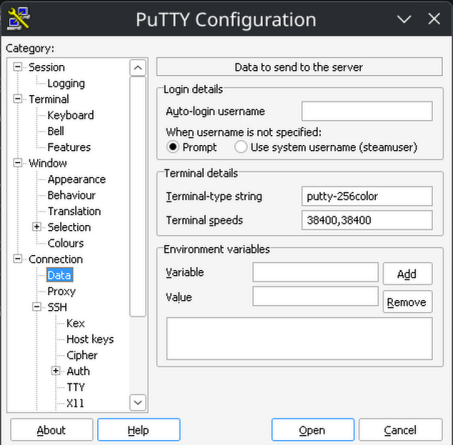
1) Sane TERM env var:
Connection -> Data -> Terminal details -> Terminal-type string -> "putty-256color"
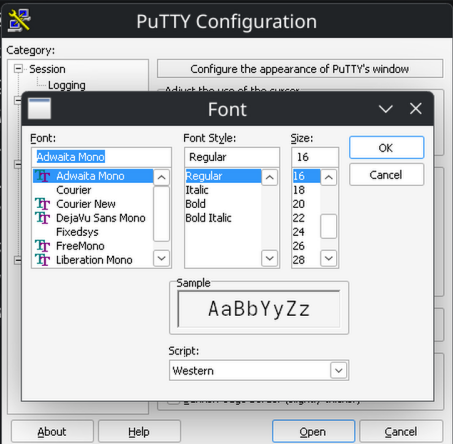
2) Sane default font:
Window -> Appearance -> Font settings -> "Change" button -> adwaita mono 12
3) Sane bolding of text:
Window -> Colors -> General options for color usage -> Indicate bolded text by changing: The font
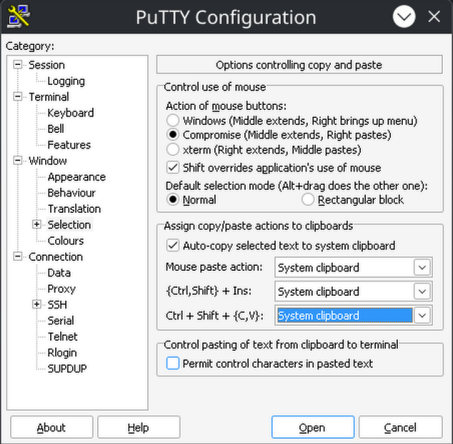
4) Sane (Linux-terminal-style) Ctrl + Shift + {C,V} (for copy and paste):
Window -> Selection -> Assign copy/paste actions to clipboard -> Ctrl + Shift + (C,V}: System Clipboard
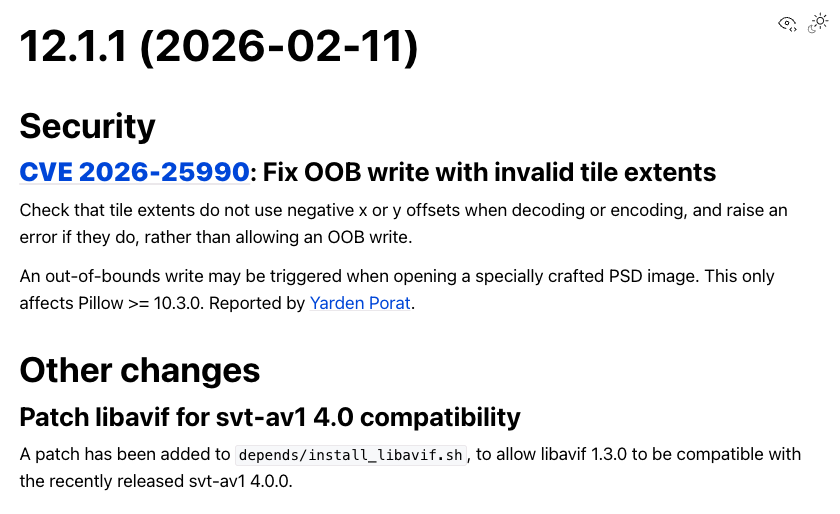
Pillow 12.1.1 has been released!
This is a security release, addressing an issue in Pillow >= 10.3.0, so upgrade soon!
https://pillow.readthedocs.io/en/stable/releasenotes/12.1.1.html
#Python #Pillow #PythonPillow #release #security
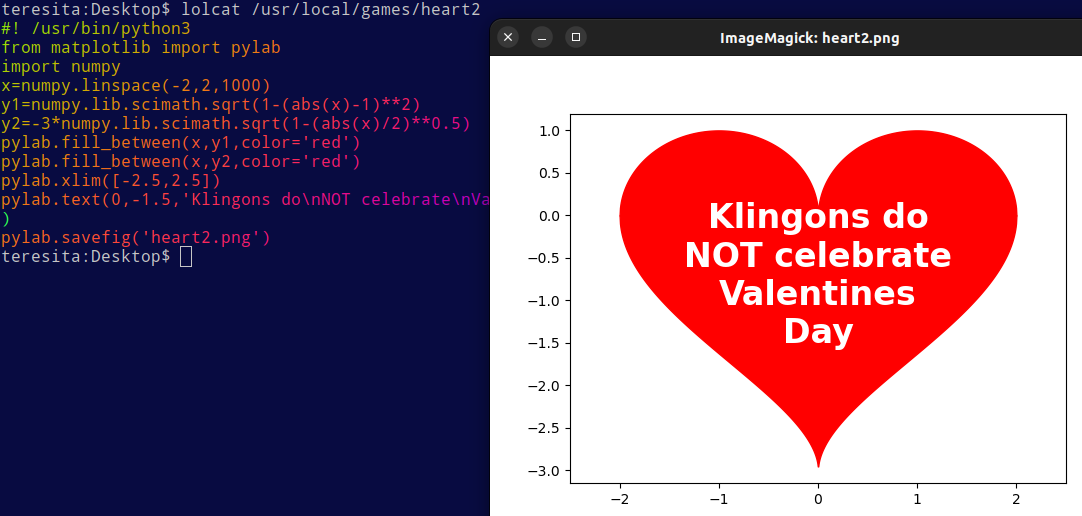
#! /usr/bin/python3
from matplotlib import pylab
import numpy
x=numpy.linspace(-2,2,1000)
y1=numpy.lib.scimath.sqrt(1-(abs(x)-1)**2)
y2=-3*numpy.lib.scimath.sqrt(1-(abs(x)/2)**0.5)
pylab.fill_between(x,y1,color='red')
pylab.fill_between(x,y2,color='red')
pylab.xlim([-2.5,2.5])
pylab.text(0,-1.5,'Klingons do\nNOT celebrate\nValentines\nDay',fontsize=24,fontweight='bold',color='white',horizontalalignment='center')
pylab.savefig('heart2.png')
Well… today was quite a wet and rainy day. Not a lot of activity here other than blowing the dust off an AX.25 stack I've been working on for a little while. This is written in pure Python and implements both AX.25 and APRS standards, including connected mode. It's shipped as a library to include in your Python (asyncio) applications.
https://codeberg.org/sjlongland/aioax25/
https://github.com/sjlongland/aioax25/
I'll probably do a release soon, as I've spent the day refining the API a bit and cleaning up the unit tests. I've finally now got 100% code coverage on this and it's being tested on Python 3.9-3.14.
One thing I'm considering is some sort of stream socket protocol (TCP, AF_UNIX and maybe websocket) that can be used to expose the functions of the stack to a separate program. Something like the AGWPE protocol in concept — but different as I don't want any legal trouble. I also think the AGWPE protocol is a bit limiting.
Was compiling #Python v3.14 (on #FreeBSD v14.3) via "#pyenv" with ...
PYTHON_CFLAGS='-march=native -mtune=native' \
PYTHON_CONFIGURE_OPTS='--enable-optimizations --with-lto' \
PROFILE_TASK='-m test.regrtest --pgo -j0' \
PYENV_ROOT="${pyenv_root_dir:?}"
... that failed as the LLVM_PROFILE_FILE was being created under "/"💩
Surprising🙄
Trying again with LLVM_PROFILE_FILE='/tmp/code-%p.profclangr' ...