Marooned / Verschollen im Weltall
#moodoftheday #BSD #FreeBSD #Plasma #KDE
#Unix #Desktop #Screenshot

Edited 326d ago
Marooned / Verschollen im Weltall
#moodoftheday #BSD #FreeBSD #Plasma #KDE
#Unix #Desktop #Screenshot
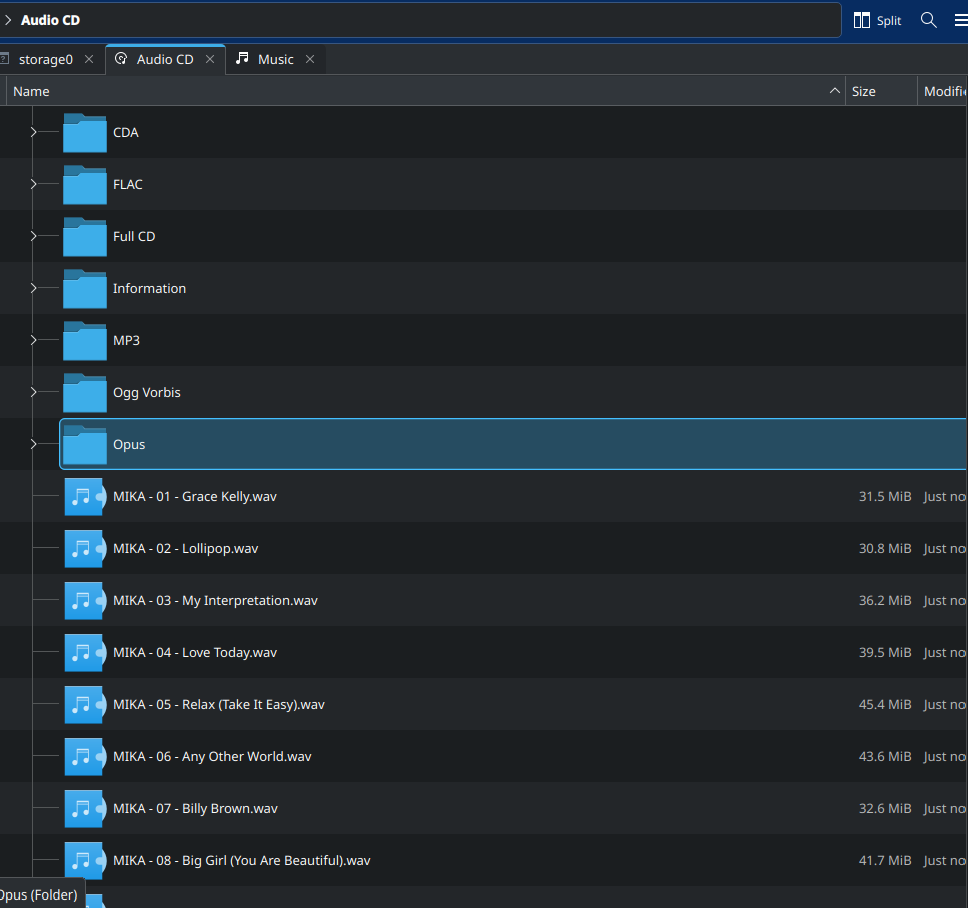
#TIL that you can rip an audio CD in #KDE just by opening it in dolphin and copying out the folder named for the format you want it in.
These are a set of virtual folders that represent the formats supported by your system to rip them into.
How cool is that?
#audiocd #ripping #music #opticaldisc #Linux #tech #deadformats
Main: "Tionisla" - DELL Latitude e6540
FreeBSD 14.3-RELEASE-p5
Kernel: 14.3-RELEASE-p5 amd64
KDE/Plasma 6.5.0
https://bsd-hardware.info/?probe=7e1c664559
Kudos to the FreeBSD/KDE folks!
#FreeBSD #RunBSD #KDE #Plasma #kde_plasma #screenshot #desktop #unix
Secondary: "Tianve" - HP 250 G3
GhostBSD 25.02-R14.3p4
Kernel: 14.3-RELEASE-p4 amd64
KDE/Plasma 6.4.5/wayland
https://bsd-hardware.info/?probe=102fa9b597
#GhostBSD #FreeBSD #RunBSD #KDE #Plasma #kde_plasma #wayland #screenshot #desktop #unix
#Linux #FreeBSD #KDE #QEMU #KVM
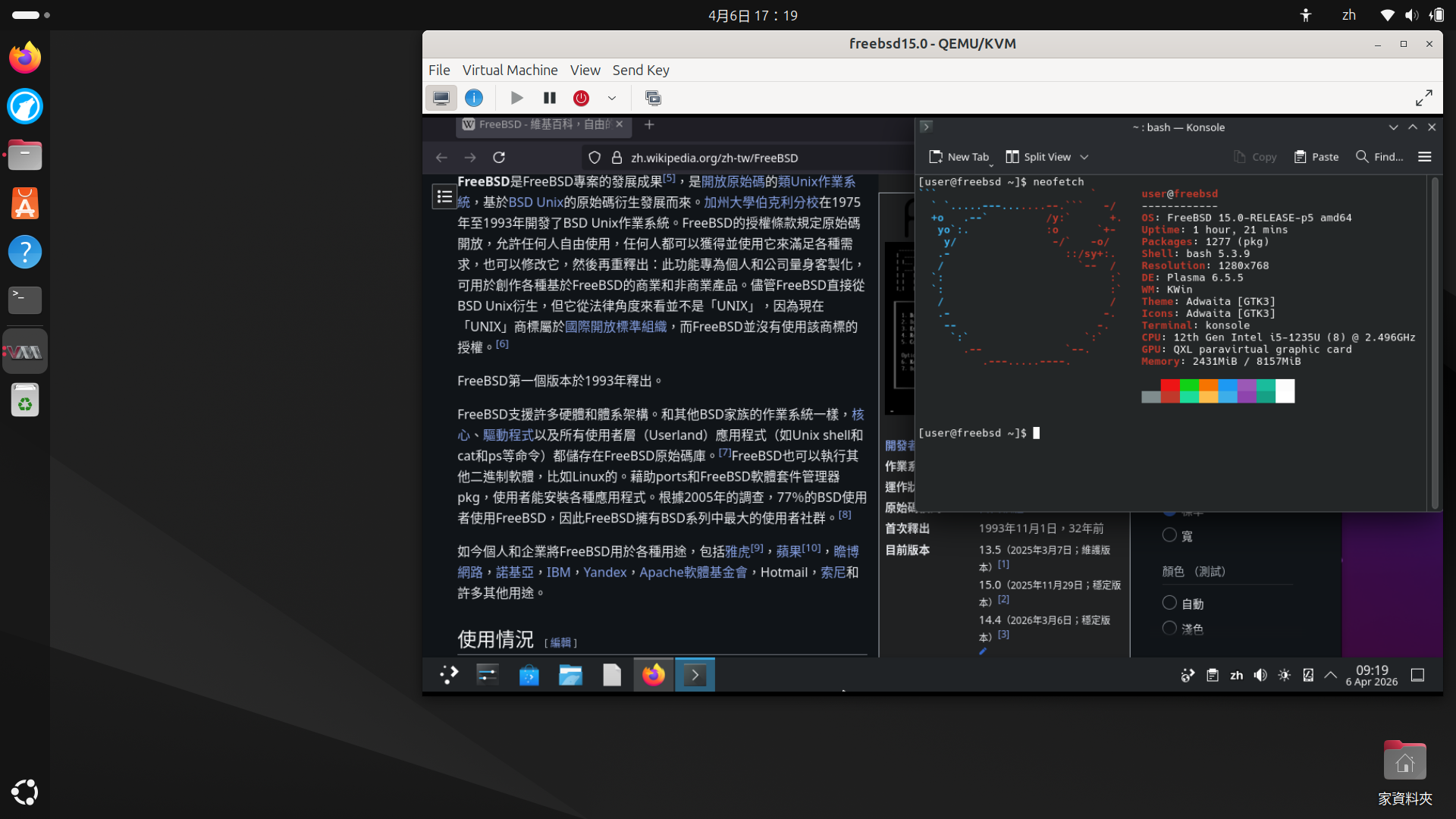
FreeBSD with KDE 6 running in QEMU/KVM Virtual Machine,with Firefox visit Wikipedia.
There's a steep learning curve with FreeBSD.
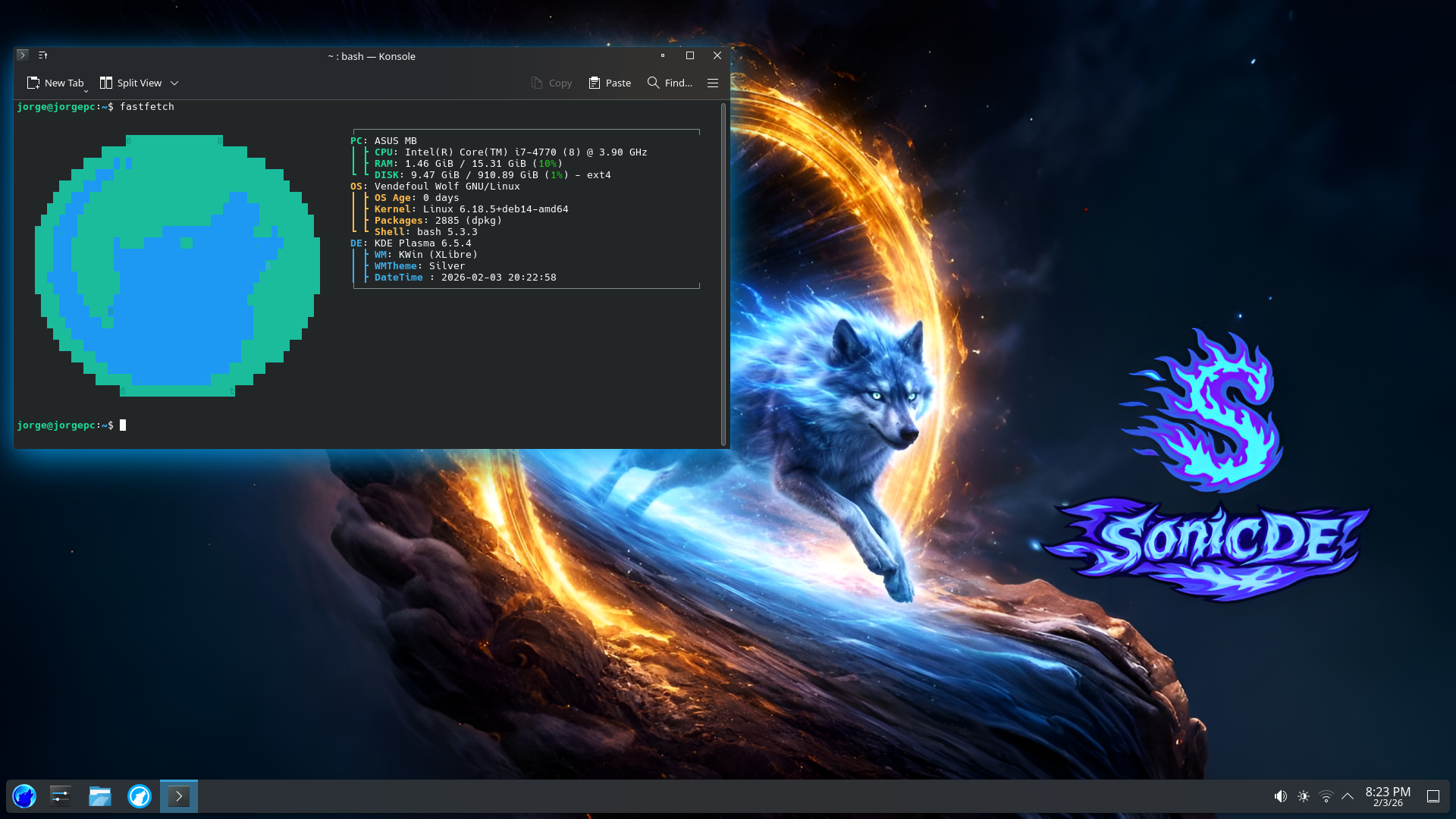
We forked the #KDE Plasma Login Manager. It now runs on #X11, drops privileges after init, and supports #systemd-free too. We tested it on Artix Linux with OpenRC, CachyOS with systemd, and on the #FreeBSD-based GhostBSD. https://www.youtube.com/watch?v=rTnV7-nfgX4 https://github.com/Sonic-DE/sonic-login-manager
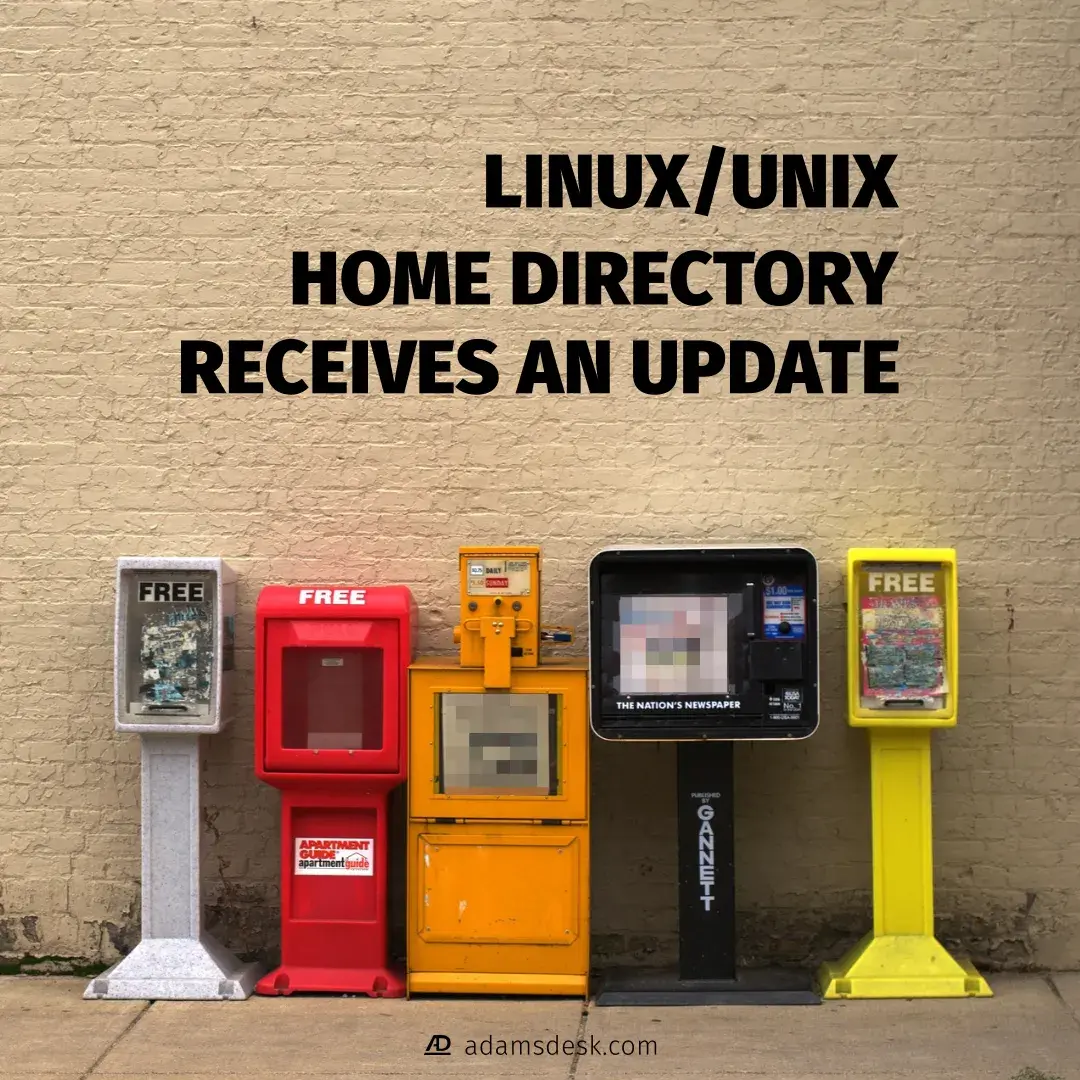
The Linux/Unix Default Home Directory Receives An Update
Learn of about the recent update to Freedesktop.org’s XDG User Directories that adds a new directory to a GNU/Linux and Unix default home directory.
https://www.adamsdesk.com/posts/xdg-user-dir-linux-unix-new-default-directory/
@simontatham It's been a looong time since I used #putty (I ran it in a #Wine "bottle", these came from #flatpak, I'm using Debian 13 #KDE). Thanks for all your efforts!
To my mind, 98% of the time, people would use putty to log into a #linux box/VPS, like say a #RaspberryPi (Raspberry Pi OS, is #Debian Trixie 13-based). This would be a sensible default assumption, **demographically**.
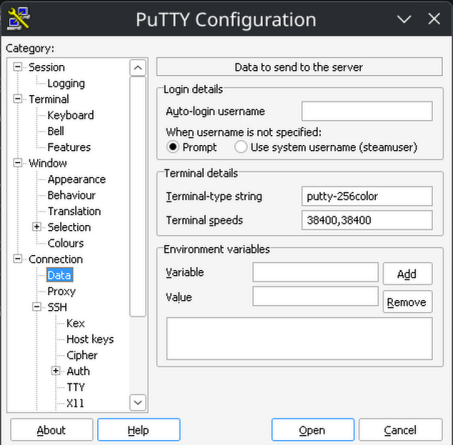
It took a good 2 hours of struggling, just to get 256 colors to work in Putty! (#Python's textualize library seriously expects 256, or *it can crash* when the Theme is changed). Please let the defaults be sane, so there's no struggle for 256 colors! Please alleviate my nerd rage - I beseech you!
1) Sane TERM env var:
Connection -> Data -> Terminal details -> Terminal-type string -> "putty-256color"
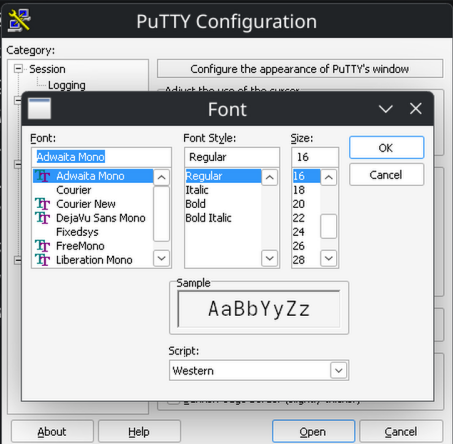
2) Sane default font:
Window -> Appearance -> Font settings -> "Change" button -> adwaita mono 12
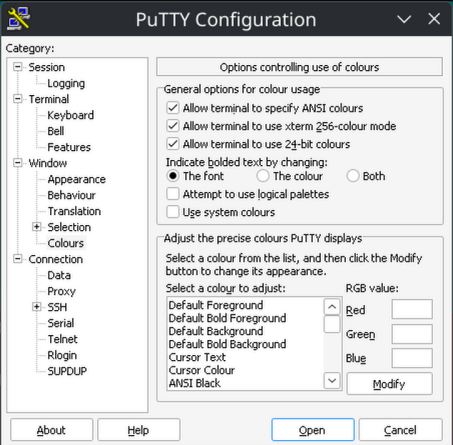
3) Sane bolding of text:
Window -> Colors -> General options for color usage -> Indicate bolded text by changing: The font
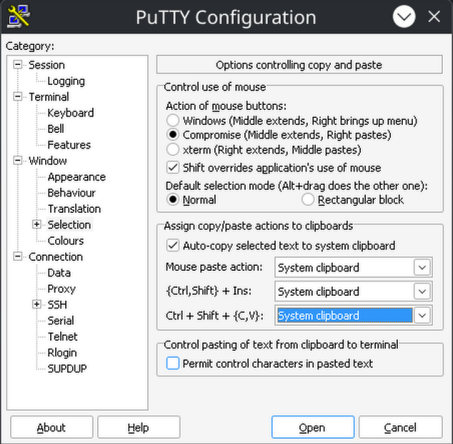
4) Sane (Linux-terminal-style) Ctrl + Shift + {C,V} (for copy and paste):
Window -> Selection -> Assign copy/paste actions to clipboard -> Ctrl + Shift + (C,V}: System Clipboard
The #Vendefoul Wolf #Linux maintainers recently introduced their #Viriato series based on #Devuan 7 Freia. They ship both #XLibre and #Xorg as well as the #KDE and #SonicDE desktop environments. You can download the testing ISO at https://vendefoul-wolf-linux.sourceforge.io/ . Look for "Devuan 7".
Change Default Linux/Unix Image Viewer Application
Use this complete guide to change the default image viewer application for a graphical desktop environment on a GNU/Linux or Unix operating system.
https://www.adamsdesk.com/posts/change-default-linux-unix-image-viewer/
FreeBSD 15.1 overview – with KDE Plasma and applications, Ly, and SDDM
https://www.reddit.com/r/freebsd/comments/1rje9xu/freebsd_151_overview_with_kde_plasma_and/
All right, so this year, like last one, I've cut up the stream footage from @LAS into individual talks and published them. Like last year I've also tried to make thumbnails in Inkscape, and it's still just as terrible of an idea even though I've executed it 17 times over the last few weeks.
Here's the playlist: https://youtube.com/playlist?list=PL3sxxpspw7FHW4KDctsdI7Ku5Br_XWFAh
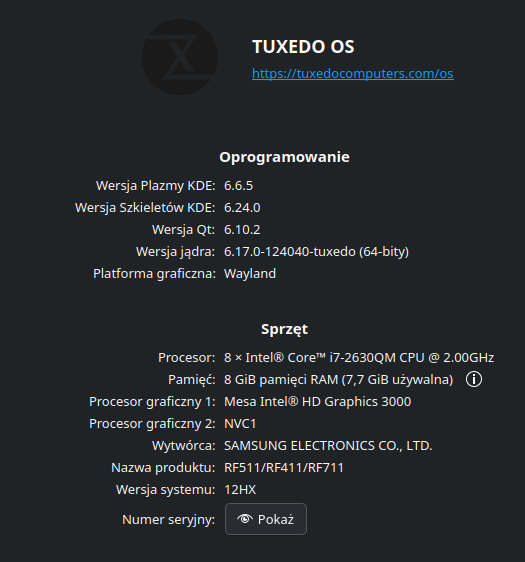
Robię szybki test / przegląd "grania na linux" dla syna sąsiada: "Linux jest ok, ale czy będę mógł pograć w ulubione gry?"
Zainstalowałem Steam, śmiga. Gry "na windows" też. Starsze tytuły również.
Co jeszcze doinstalować / sprawdzić, by maszyna z KDE Plasma odpalała to co maszyny Windowsowe?
Jeśli chodzi o porady sprzętowe, to mniej mi zależy na nich, ale też chętnie poczytam.
Testy robię na starszym ale mocnym lapku i7 z dwiema kartami gpu: intel dla elektro-oszczędności i nvidia do gier. Nie celujemy w najnowsze tytuły wymagające super mocnych bebechów.
Dzięki za porady :)
FreeBSD desktop installer script test: quick start
https://gist.github.com/grahamperrin/ff0172d54775e4c15019b6158bc6c7af
Hey @kde with the recent birthdate field being introduced into systemd and the lead developer being obnoxiously stupid about it, Plasma desktop relying more on systemd feels wrong.
Given the circumstances, I urge you to please reconsider systemd dependency on KDE platform and if possible, please think of alternatives.
When you said X11 is getting axed from the codebase, I was ok with because Wayland has improved significantly over the years and offers more almost all the functionality from X11; systemd is different.
This post is an attempt to make my case as a (happy and satisfied) KDE Plasma user for few years so please think again about getting in bed with that project.
What's good for hardware is good for the budget … and environment! 🌻
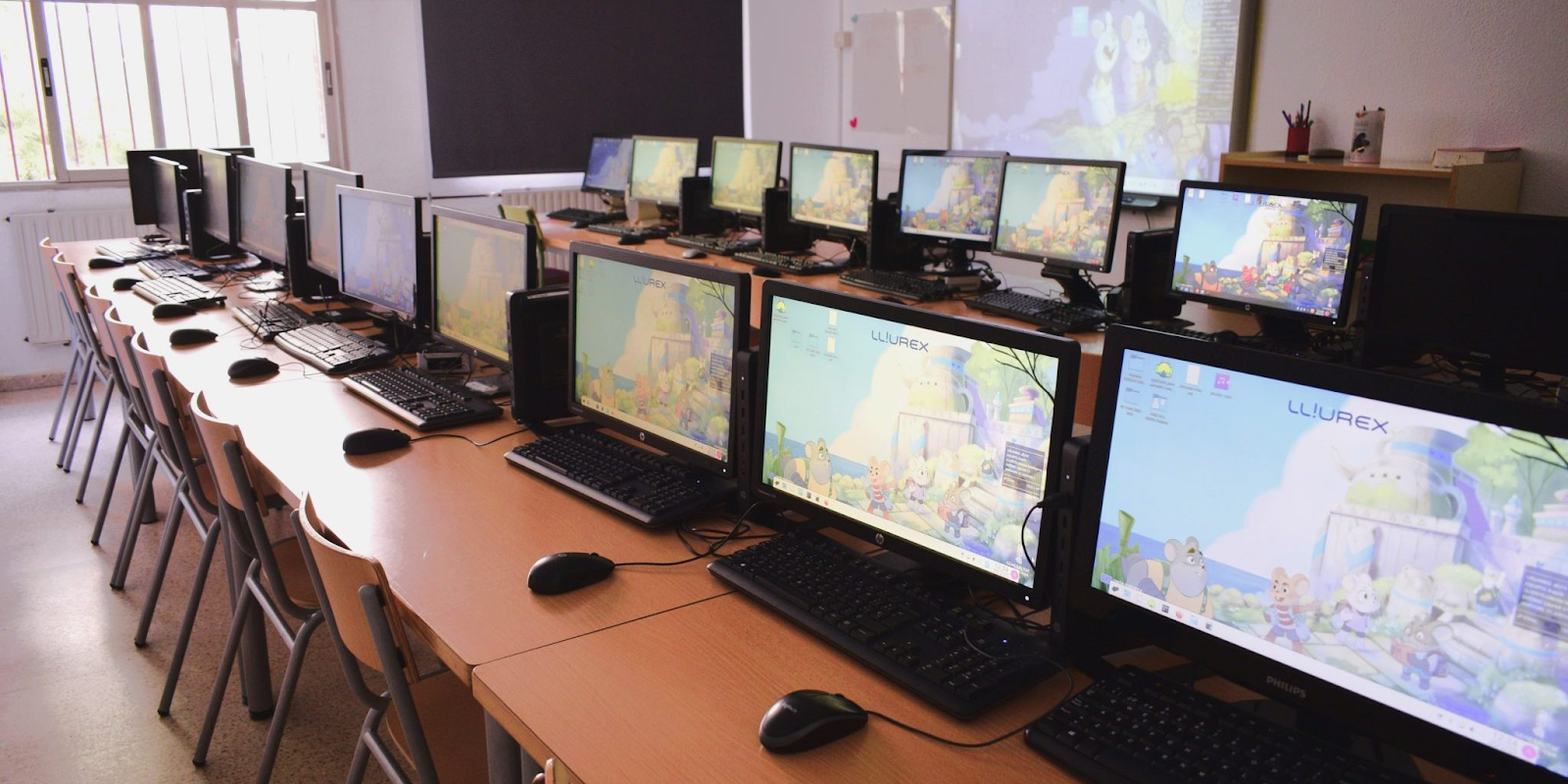
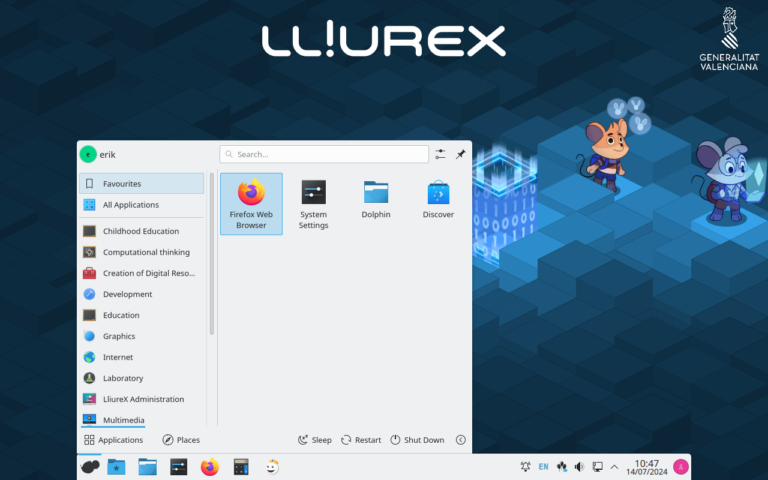
LliureX #Linux with #KDEPlasma in Valencian schools saves the public administration *3.5 million euros a year* for 110,000 computers. [1]
* School HW has lifespan up to 18 years while running up-to-date software [2]
* Cheap easy-to-manage "light clients" ideal for very old upcycled HW [3]
* LliureX-Shutdowner saves energy by turning off unused computers school-wide [4]
The free open source software development community KDE has an official video account you can follow at:
There are already over 400 videos uploaded. If these haven't federated to your server yet you can browse them all at https://tube.kockatoo.org/a/kde_community/videos
You can also follow their Mastodon account at @kde
RE: https://sunny.garden/@bragefuglseth/116920572163082606
Quoting this again because it extends to the recent happenings as well. The recent proposal from the LF should be condemned and fought against, but you shouldn't be surprised by it, and in general, you really shouldn't be giving them as much credit for the Linux desktop as some people seem to do.
The #Linux Foundation is way less relevant for the Linux desktop space than you might think. The "Linux" in its name is a little misleading, because while it does indeed support the development of the Linux kernel, it also oversees a bunch of other projects. It's not at all comparable to e.g. the #GNOME Foundation, #KDE e.v. or the #Debian project.
It's not run by the same kind of people, and does not have the same kind of goals. It does not concern itself with the ideology of the free software movement, or the "community" in the sense that you and I perceive that word.
It exists as a collaboration ground for corporations, and primarily serves the interests of those.
Okay, so after using Cosmic full-time for like 3 months via Pop_OS!
This is a beta product that should not have been released as an LTS
This has great potential, 6-24months from now.
This does not have remotely the community engagement necessary for it's ecosystem to function as intended (like Gnome or KDE does)
Trying FreeBSD as a Linux user – Kenvexity – YouTube
https://www.youtube.com/watch?v=bdUwCQttWKM&t=25s
I enjoyed this video. Very down-to-earth.
Some key points at <https://www.reddit.com/r/freebsd/comments/1ubn8mp/trying_freebsd_as_a_linux_user_kenvexity/>.
#FreeBSD #KDE #Plasma #Xorg #TWM #graphics #hardware #Firefox #Linuxulator #Steam
Howdy Community! 👋👋
LinuxAppSummit's venue is filling up! Secure your place at the conference by registering at https://linuxappsummit.org/register!
Our schedule will soon be published. Follow to find out the great talks we will be having around applications on the Linux platform.
#kde #gnome #opensource #apps #linux #events #fedievents @LAS
“#Flathub is now accepting AI slop”
the Flathub reviewers have blocked over 1,000 slop apps in 2026 alone. that’s half of the verified app count.
close to a quarter of the store could have been ensloppified by now!
if you want to know what a slopnami looks like, just have a look at this link:
https://github.com/flathub/flathub/pulls?q=is%3Apr+state%3Aclosed+label%3A%22AI+Slop%22




![Screenshot of GhostBSD running Plasma.
There's a Plasma default panel with some pinned icons floating on the left, a konsole running bsdebfetch with some system stats and three picture frames: bottom right with "RunBSD" Logo and center and top center stickers with slogans concerning "mamma carcinomas".
There's a bottom panel with a pager widget showing two virtual desktops.
Both panels are set to dodge windows.
Colours follow Plasmas twilight settings.
Iconset: Nature Grey
[https://github.com/SethStormR/Nature]
Backdrop is Lunar Reverie by jomada
[https://store.kde.org/p/2309646}
Styling based on the Klassy theme](/proxy/post_attachment/173649/a303ab13d0.png "Screenshot of GhostBSD running Plasma.
There's a Plasma default panel with some pinned icons floating on the left, a konsole running bsdebfetch with some system stats and three picture frames: bottom right with \"RunBSD\" Logo and center and top center stickers with slogans concerning \"mamma carcinomas\".
There's a bottom panel with a pager widget showing two virtual desktops.
Both panels are set to dodge windows.
Colours follow Plasmas twilight settings.
Iconset: Nature Grey
[https://github.com/SethStormR/Nature]
Backdrop is Lunar Reverie by jomada
[https://store.kde.org/p/2309646}
Styling based on the Klassy theme")